

Quick answer
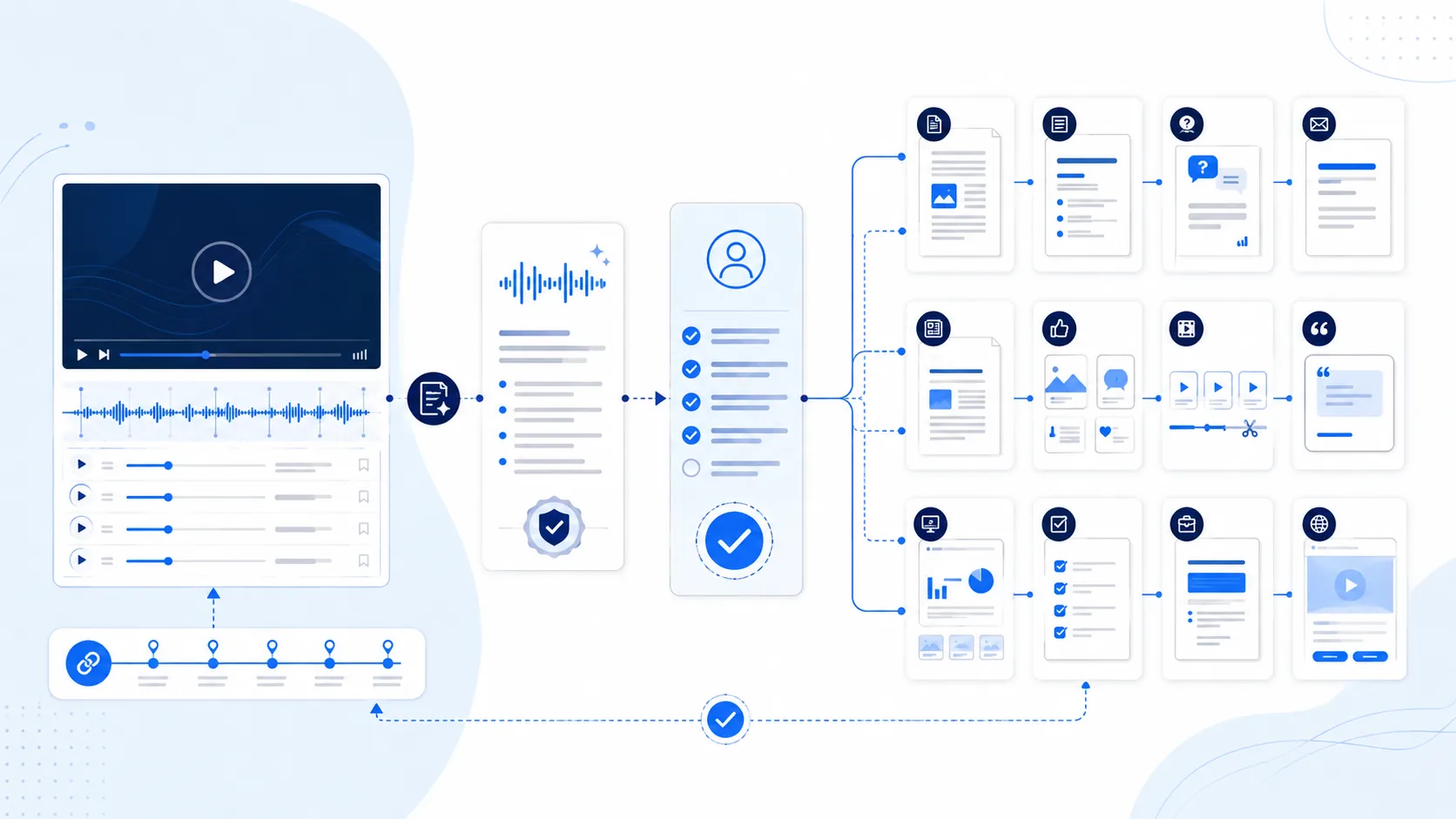
To repurpose one webinar into 12 content assets with AI, first lock an approved recording, accurate speaker-labeled transcript, timestamps, rights, claims, disclosures, and audience. Then create a long-form article, executive summary, FAQ, follow-up email, newsletter, social post set, short clips, quote cards, slide recap, checklist, sales enablement brief, and replay landing page.
Each asset needs a distinct communication job—not just a shortened transcript. Carry source timestamps and evidence status into the draft, review quotes in context, preserve required sponsorship disclosures, adapt accessibility and metadata to the channel, and publish only after an accountable human approves the exact version.
Repurposing is controlled transformation, not content multiplication
The source webinar contains several layers: spoken words, visual demonstrations, audience questions, slides, disclosed relationships, approved claims, and context that may not survive a short excerpt. A reliable workflow creates a canonical evidence packet first, then transforms selected moments for a declared audience and purpose while preserving links to the source.
The transcript is an index, not ground truth
Automatic captions can mishear names, numbers, acronyms, negation, and overlapping speakers. Review against audio and on-screen material, identify speakers, preserve timestamps, and label unintelligible sections. A fluent AI summary must never silently “correct” uncertain words by guessing.
One source does not justify 12 near-duplicates
A useful asset should answer a distinct user need: discover, understand, evaluate, remember, share, attend, follow up, or apply. If the article, newsletter, and landing page carry the same paragraph with minor changes, consolidate them. Repurposing adds structure, accessibility, evidence, and channel fit—not merely volume.
Five evidence states for transformed content
| State | Meaning | Permitted transformation | Required review |
|---|---|---|---|
| VERIFIED SOURCE | Audio/visual context and transcript agree; speaker, timestamp, rights, and claim support are known. | Quote or paraphrase within the approved scope and context. | Fact/brand review plus format-specific accessibility and disclosure. |
| VERIFIED PARAPHRASE | Meaning is preserved but wording is editorial. | Use without quotation marks and link or timestamp the source. | Speaker/fact review where nuance, numbers, legal, security, or performance matter. |
| EDITORIAL SYNTHESIS | New structure, comparison, example, or recommendation added by the publisher. | Label as editorial; do not attribute it to the speaker. | Subject-matter and claim review; add sources for new factual assertions. |
| DISCLOSURE REQUIRED | Sponsorship, employment, incentive, customer relationship, or other material connection affects interpretation. | Use only with clear, hard-to-miss disclosure suitable for that asset. | Marketing/legal owner confirms placement, wording, persistence, and jurisdiction. |
| HOLD / EXCLUDE | Rights, consent, transcript, identity, claim support, context, or sensitivity is unresolved. | Do not publish, translate, clip, quote, or train downstream content from it. | Resolve with the rights holder or qualified owner; record decision and expiry. |
12 distinct assets from one approved webinar
Each asset has a different audience job, source packet, and acceptance test. Copy the block as a production brief, then replace placeholders with verified media evidence and accountable owners.
Long-form article with an original reader path
Build an answer-first article around the audience’s problem, not the webinar agenda. Combine verified moments into a new H1/H2/H3 narrative, add definitions, a practical method, limits, sources, internal links, and an explicit distinction between speaker statements and editorial synthesis.
Executive summary for decision makers
Create a one-page brief with the webinar’s purpose, three to five supported conclusions, decision implications, material constraints, unresolved questions, and links to the recording and full article. Remove anecdotes that do not change a decision.
FAQ built from real audience questions
Select questions actually asked in registration, chat, Q&A, follow-up, or qualified research. Merge duplicates, preserve the user’s intent, write concise answers, and link to the most relevant timestamp or article section. Add unanswered questions as UNKNOWN rather than improvising.
Post-webinar follow-up email
Write one audience-specific email that acknowledges attendance state, restates the promised value, links the recording and one relevant asset, gives a truthful next step, and respects subscription and outreach policy. Create separate versions only when intent genuinely differs.
Newsletter edition with editorial context
Turn the webinar into a newsletter story with a fresh editorial lead, a small set of evidence-backed lessons, one practical takeaway, a transparent relationship disclosure, and links to the replay and deeper resources. It should serve subscribers who never registered.
Social post set with different communication jobs
Design a bounded set such as one key lesson, one diagram explanation, one myth/limit, one audience question, and one replay invitation. Adapt length and media to each channel without pretending the same caption is native everywhere.
Short video clips with context intact
Select self-contained moments with a clear setup, supported statement, and conclusion. Define exact in/out times, aspect ratios, safe crop, captions, title, context card, speaker identity, disclosure, and a link back to the full recording.
Quote cards that use exact, approved words
Use quotation marks only for wording verified against the recording. Keep the shortest complete statement that preserves the speaker’s intent, identify the speaker accurately, and add a source timestamp or nearby link. Use paraphrase styling when wording changes.
Slide recap for internal or external reuse
Create a compact deck that explains the problem, evidence, method, example, limitations, and next step. Redesign for asynchronous reading; do not simply export webinar slides that relied on narration. Separate public and internal versions.
Checklist or worksheet for practical application
Translate the webinar’s method into observable steps, inputs, decisions, evidence fields, owners, acceptance criteria, and stop/escalation conditions. Add blank space or copyable fields so a reader can actually use it.
Sales enablement brief for one conversation
Prepare a bounded internal brief: audience/problem, supported insights, discovery questions, approved product relevance, proof, gaps, risky claims, and one next action. Do not turn webinar attendance into purchase intent or reuse attendee questions as personal targeting without permission.
Replay landing page and discoverable video record
Publish a stable watch page with a descriptive title and summary, embedded or accessible video, reviewed captions/transcript, speaker and date, agenda or key moments, disclosures, related assets, and a truthful CTA. State access or expiry limits.
Worked example: a fluent quote that the speaker never said
This hypothetical example shows why transcript review precedes content generation. It is not a claim about a real webinar, speaker, or customer.
What the audit record should prove
Store media and transcript versions, segment IDs and timecodes, speaker mapping, confidence/ambiguity, rights, claim sources, disclosure state, prompt/output versions, human edits, approved asset hash, destinations, publication time, and correction propagation.
A seven-stage production workflow
1–2. Declare scope, rights, and source truth
Identify audience, goals, destinations, recording owner, speaker releases, music/image licenses, confidentiality, sponsorships, retention, and allowed actions. Lock the media, slides, chat/Q&A, and transcript versions.
3–4. Segment and classify evidence
Create segment IDs and timestamps; reconcile captions with audio and visuals; label quotes, paraphrases, editorial synthesis, disclosure-required material, and holds. Build claim and correction dependencies.
5–6. Draft by asset job and review risk
Use separate briefs for all 12 assets. Route quotes, customer stories, product/security/legal claims, numbers, endorsements, rights, and accessibility to qualified reviewers before format approval.
7. Publish, measure, refresh, and correct
Release approved versions, verify links/media/metadata, measure usefulness by asset purpose, monitor expiry and source changes, and propagate corrections through the dependency graph.
Where OpenMax fits in a repurposing workflow
Coordinate sources, specialized agents, and human approvals
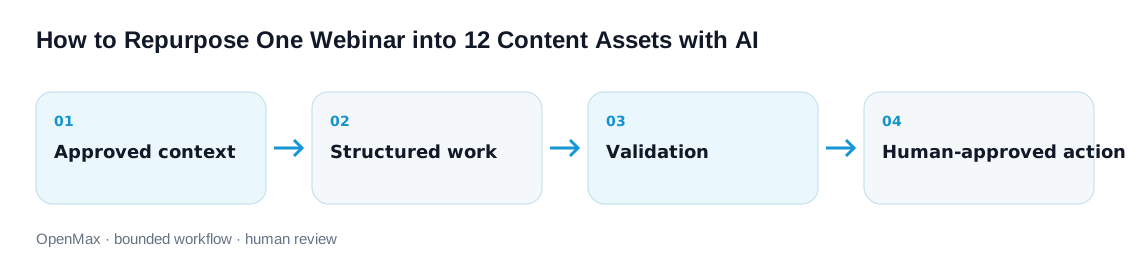
In OpenMax, a team can give research, editorial, channel, and QA agents distinct roles while sharing the same approved source set. Tool permissions can keep drafting read-only; task ownership, logs, and approval gates make it clear who accepted each claim and who authorized publication. OpenMax is not a substitute for speaker consent, copyright review, or subject-matter judgment.
Limits and human-review boundaries
AI can accelerate segmentation and drafting, but it cannot own rights, truth, disclosure, accessibility, or publication accountability.
- Do not treat automatic captions as final, guess unintelligible words, change paraphrases into quotes, or remove qualifications and negation.
- Do not publish a speaker’s image, voice, quote, slides, audience question, customer story, music, screenshot, or third-party asset beyond documented rights and consent.
- Disclose sponsorships, employment, incentives, and material connections clearly within the relevant asset; a profile or hidden page is not a universal substitute.
- Avoid scaled near-duplicates. Each output needs original user value, format fit, current evidence, and a reason to exist independently.
- Human owners approve claim truth, quote/context, rights, disclosure, accessibility, sensitive information, external messaging, publication, and correction.
Frequently asked questions
Should the transcript be published as one of the 12 assets?
Publish a reviewed transcript when rights, privacy, and accessibility decisions allow, but treat it as part of the canonical source record here. The 12 outputs are additional audience-facing formats with separate jobs.
Can AI choose clips automatically?
It can propose segments using timecodes and selection criteria. A human must confirm context, rights, speaker intent, claims, disclosure, caption accuracy, crop, and whether the excerpt remains truthful alone.
How much wording can change before a quote becomes a paraphrase?
Any substantive wording change should remove quotation marks. Preserve meaning, attribute the idea accurately, link the source, and ask the speaker or claim owner to review high-risk nuance.
Will 12 assets create an SEO duplication problem?
Not if each serves a distinct need and the site uses sensible canonical and internal-link structure. Consolidate near-duplicates; AI-generated volume without added value can violate search spam policies.
What should teams measure?
Use purpose-specific measures: replay completion or key moments, article task success, FAQ resolution, email qualified clicks, checklist use, sales usefulness, accessibility defects, correction rate, review time, stale claims, and policy incidents—not raw asset count.
Sources, editorial method, and limitations
OpenMax editors reviewed primary guidance for automatic-caption accuracy, captions and transcripts, endorsement disclosure, useful AI-assisted web content, video discovery/key moments, and AI documentation. We transformed those principles into an original 12-asset workflow with source packets, evidence states, format-specific acceptance tests, correction dependencies, and human approval boundaries. Sources were reviewed September 3, 2026. No production output, ranking, reach, conversion, revenue, or time-saving result is claimed.
- YouTube Help — Use automatic captioning — machine-generated captions can misrepresent speech and should be reviewed and corrected.
- W3C Web Accessibility Initiative — Captions/Subtitles — caption purpose, synchronized media requirements, and quality considerations.
- W3C Web Accessibility Initiative — Transcripts — transcript roles and media-accessibility context.
- U.S. Federal Trade Commission — Disclosures 101 — material connections and clear, hard-to-miss disclosure within relevant social/video content.
- Google Search Central — Generative AI content guidance — automation can assist useful work; scaled pages without added value may violate spam policy.
- Google Search Central — Video SEO best practices — discoverable watch pages, metadata, key moments, stable video access, and monitoring.