

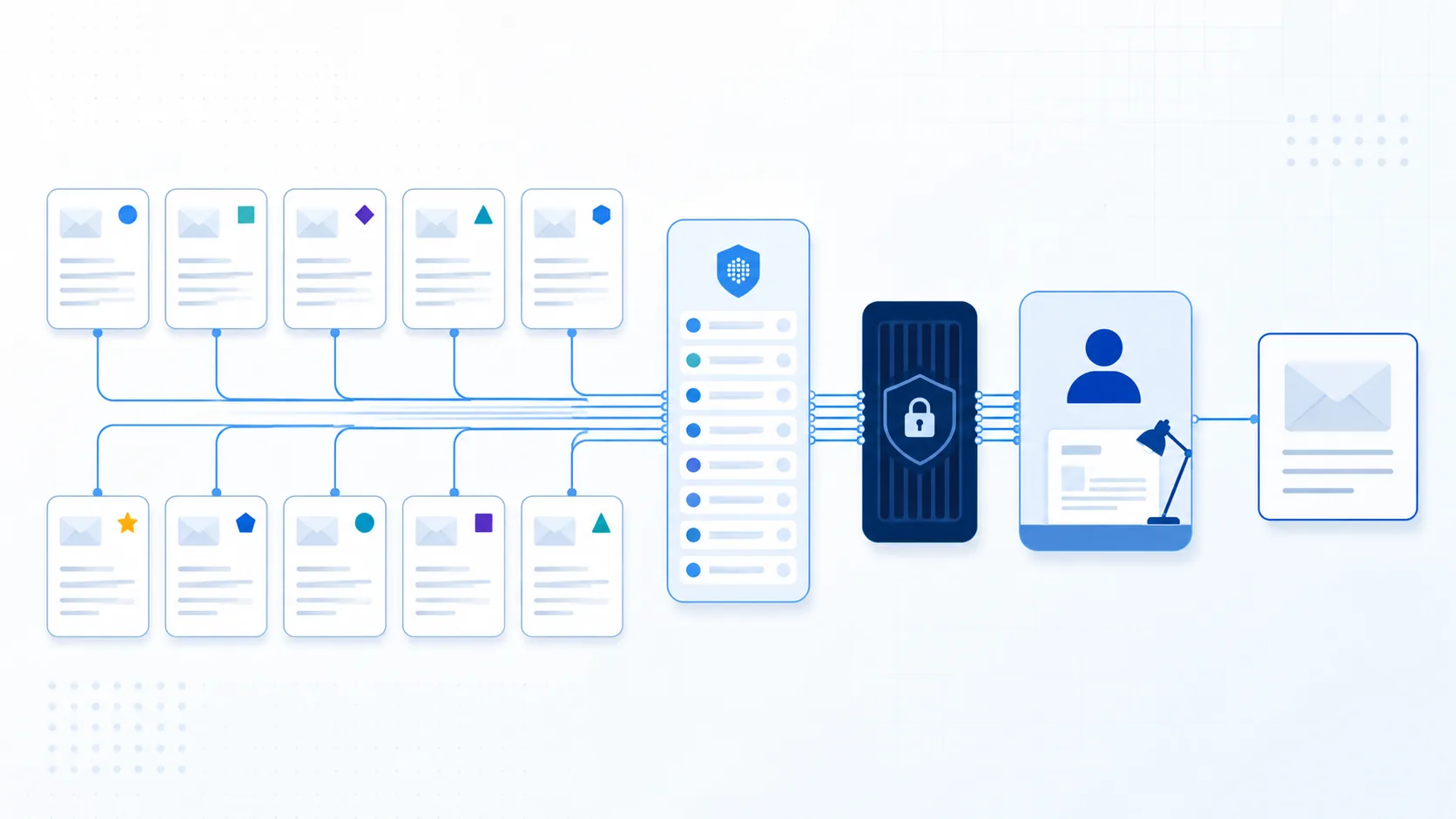
Quick answer: choose the outcome before asking AI to write
Freeze the authorized sender, recipients, purpose, evidence cutoff, sensitivity and desired response. Select the template for that one outcome. Draft the subject, first-screen answer, evidence block and accountable close separately. Then verify every recipient, number, date, source, attachment, commitment and access rule before an authorized person approves delivery.
The minimum executive-email contract
Record one outcome, one evidence cutoff, the current decision state, material evidence IDs, unknowns, one decision or action owner, an exact response or review time and an authority limit. If any field is missing, the draft should expose the gap instead of filling it with plausible language.
What AI may prepare
A bounded drafting workflow may organize approved facts, propose a subject, compress supporting context, format options, detect missing fields and produce variants for a human reviewer. It may not create executive authority, approval, legal advice, financial authorization, customer commitments, personnel decisions or disclosure conclusions.
Download the working materials
Use the editable executive email evidence worksheet to freeze scope, sources and review gates. Then inspect the complete EX084 fictional evidence packet, which includes 40 source records, all ten filled examples and ten send-review records. No rows are summarized as “similar.”
Start with the business outcome, not a tone prompt
“Make this sound executive” is not an operational instruction. It encourages a model to optimize confidence and brevity even when the real task is to preserve uncertainty, request a decision or expose a blocked dependency. Define what the recipient should understand or decide after reading.
Write a one-sentence purpose
Use a sentence that contains the object and expected result: “The operating committee must choose a migration option by 16:00 UTC on September 11.” That statement makes the evidence and deadline testable. “Provide leadership visibility” does not.
Separate decision, information and action
A decision request asks an authorized person to choose. A status update explains variance against an approved baseline. An action notice tells a named owner what must happen. Combining all three without hierarchy creates replies that answer the least important part while the consequential question remains unresolved.
Define success without relying on opens
Success may be a recorded decision, correction, accepted handoff or named escalation. An open or read receipt does not prove comprehension, agreement or authority. Link the message to the resulting record so the organization does not treat inbox activity as an outcome.
Freeze sender, recipients and authority
Executive email can move financial, legal, security, customer or personnel information quickly. The first control is not wording; it is whether the sender may speak, whether every recipient may receive the material and whether the chosen channel is appropriate.
Name the authorized sender
Store the person or role permitted to approve the final version. A chief of staff may prepare a draft without authority to approve a budget exception. A program lead may report delivery state without authority to accept residual security risk. Draft permission and send permission should be separate fields.
Verify every recipient and access path
Check primary and copied recipients, aliases, forwarding restrictions, external domains and attachment permissions. Minimize board, personnel, customer, legal, security and financial detail. If a recipient or attachment audience is uncertain, hold the message for review rather than inferring access from job title.
State what silence means
Silence is not approval unless an authorized policy defines that mechanism for the exact decision. A draft may request a response by a deadline and explain the escalation path, but it should not manufacture consent with “we will proceed unless we hear otherwise.”
Build an evidence brief before prose
The drafting input should be a small evidence contract, not a mailbox dump. Preserve original records outside the email and cite stable IDs in the working draft so reviewers can trace every material statement.
Record the cutoff and source versions
Write an ISO-8601 cutoff and identify the current version of each decision log, metric, forecast, policy, proposal, incident record or meeting note. Later information should create a new draft version; it should not silently alter the evidence behind an approved message.
Label facts, forecasts, assumptions and unknowns
These states are not stylistic alternatives. An actual is observed for a defined period. A forecast depends on assumptions. An option is available but not chosen. An unknown lacks adequate evidence. Keep the labels visible whenever changing the state would change the recipient's decision.
Give numbers a denominator and owner
“Two percent affected” is incomplete without the affected count, eligible population, time and source. “Budget is ten percent over” needs the approved baseline, current exposure, currency, accounting basis and finance owner. A precise-looking percentage without a stable denominator is not decision-grade evidence.
Preserve corrections and dissent
Keep the earlier value, corrected value, correcting source and affected field. Do not let a later edit erase why the change occurred. Record material disagreement as disagreement; executive brevity is not permission to replace dissent with false consensus.
Apply five quality tests to every draft
The message should pass the same tests regardless of template. These tests make a short email reviewable rather than merely polished.
Purpose-led subject
Name the outcome type, object and relevant deadline, period or state. Avoid ambiguous “urgent” labels and dramatic claims unsupported by the evidence. For U.S. commercial email, the Federal Trade Commission also requires subject lines and header information not to be deceptive; other markets require their own legal review.
First-screen answer
The opening lines should state the decision, material change or risk, why it matters and what response is requested. Background belongs after the answer. A recipient should not need to open an attachment to learn why the message was sent.
Decision-grade evidence
Define metrics, baselines, source dates and uncertainty. Use a small table or bullets when parallel facts matter. Link the approved detailed record instead of pasting an uncontrolled dataset into the message.
Accountable close
Name the decision owner, action owner, deadline, response channel and escalation path. If the email records a commitment, identify who actually confirmed it. Do not assign an absent person or convert a proposal into an obligation.
Send gate
Verify recipients, authority, names, numbers, currency, dates, links, attachment versions, access, confidentiality, promises and specialist language. The approved draft hash or version, approving sender and send status should remain linked to the source brief.
Use the templates as evidence contracts
Replace bracketed fields only with approved facts. A template is not permission to invent a complete story. If the evidence does not support a field, write “unknown,” ask a bounded question or stop.
Keep one primary result
An email may contain supporting actions, but one result should control its order. If leadership must choose an option, do not bury the choice behind a general update. If the message reports an incident, do not mix a speculative root-cause essay with customer guidance.
Move detail without losing traceability
Put decisive facts in the message and link accessible detail. Confirm that recipients can open the attachment and that its version matches the email. A link to an inaccessible or later-edited document does not support the original claim.
Localize meaning, not just words
Check dates, timezones, currencies, legal terms, titles, politeness, disclosure duties and recipient expectations for each audience. Translation does not replace local legal, finance, HR, privacy or communications review.
Never send a filled teaching example
The EX084 values are fictional. Copy the structure into the worksheet, replace every field with authorized evidence and remove synthetic names and domains. A preflight should reject any .invalid address or EX084 identifier in a production draft.
Ten AI executive email templates
Each structure below includes an evidence requirement and a stop condition. The complete packet provides a filled synthetic version for every template so reviewers can see how the fields reconcile.
1. Decision request
Use when: one authorized body or person must choose among bounded options. Subject: Decision required by [UTC date/time] — [specific question]. Open with the recommendation and requested decision. State the objective, viable options, evaluation evidence, material tradeoffs, consequences of delay and whether any prerequisite remains unresolved.
Close with the authorized decision owner, response format and deadline. Stop if options are not comparable, the recommender lacks authority, or the consequence of delay is speculative. Never interpret silence as approval without an explicit governing rule.
2. Executive status update
Use when: leaders need variance against an approved plan, not a list of activities. Subject: [Program] status through [cutoff] — [material state/change]. Lead with outcome, schedule, budget and risk against named baselines. Then explain deltas, forecast assumptions, decisions needed and the next reporting time.
Separate actual, forecast, rebaseline proposal and unknown. Stop if the baseline or reporting cutoff is missing. A green label cannot override a late critical milestone or an unapproved forecast date.
3. Risk escalation
Use when: a documented condition may affect an objective and requires action beyond the current owner's authority. Subject: Action required — [risk] may affect [objective] by [date]. Describe cause, possible event and consequence separately; cite present evidence, exposure, existing controls, trigger, owner and requested decision.
Protect sensitive technical or personal detail. Stop if the draft presents possibility as certainty or if the model attempts to accept residual risk. Risk appetite and formal acceptance stay with authorized people.
4. Budget exception request
Use when: expected exposure exceeds an approved financial boundary. Subject: Approval request — [currency amount] exception for [initiative]. Show approved budget, actual or committed amount, requested change, recalculated total, variance, cause, options, forecast effect and proposed funding source.
State one currency and accounting basis. Attach finance reconciliation and identify the approver's authority. Stop for mismatched periods, missing commitments or an unapproved funding source; never invent savings, accruals or approval.
5. Customer issue briefing
Use when: executives need a verified account or segment impact and a coordinated response. Subject: [Severity] customer issue — [scope] — as of [UTC time]. State confirmed impact, eligible population, containment, customer commitment already authorized, owner, open question and next update.
Separate verified facts from suspected cause. Minimize personal and contract data and align wording with support, incident, legal and account owners. Stop if the affected denominator or external commitment is unverified.
6. Board pre-read note
Use when: authorized directors receive a controlled paper before a meeting. Subject: Pre-read for [meeting/date] — [decision or discussion]. Explain why the material is sent, which questions require attention, what reading is required, where assumptions and dissent appear and when corrections are due.
Confirm distribution, secure access, document version and governance review. Stop if the recipient list or privilege treatment is uncertain. The draft must not invent board consent, deliberation, minutes or legal conclusions.
7. Cross-functional alignment request
Use when: several functions must confirm one shared operating model. Subject: Alignment requested by [UTC deadline] — [shared outcome]. Distinguish agreed context, unresolved decisions, functional impacts, proposed owners, explicit objections and the confirmations needed from each function.
Record responses by function rather than announcing consensus from a majority count. Stop if a material objection is unresolved. “No objection received” is not agreement unless the authorized process says it is.
8. Policy change announcement
Use when: an approved policy version changes obligations or actions for a defined audience. Subject: [Policy] changes effective [date] — action for [audience]. Explain what changes, who is affected, why, effective timing, required action, support route and authoritative policy link.
Use approved legal, HR, security, privacy or compliance wording and localize for jurisdiction and audience. Stop if the policy is unapproved or the summary conflicts with the controlling text. The email never replaces the authoritative document.
9. Incident update
Use when: authorized stakeholders need a time-bounded operational state. Subject: [Incident ID/severity] update at [UTC time] — [current state]. Report verified impact, containment, service state, active work, user guidance, owner and next update time. Label root cause and recovery estimates by evidence state.
Coordinate recipient and disclosure decisions under applicable law and policy. NIST SP 800-61 Rev. 3 emphasizes planned coordination with appropriate internal and external stakeholders; that does not make one generic email a legally sufficient notice. Stop before sharing details that could impede response or expose restricted information.
10. Post-meeting commitment recap
Use when: a meeting produced confirmed decisions and owned actions. Subject: Decisions and actions — [meeting/date]. List each decision with its authority and evidence, each action with one owner, due time and dependency, and each no-decision separately. Link the governing record.
Invite corrections by a stated time. Stop if notes cannot distinguish proposal, discussion and commitment. Do not assign absent people or turn facilitator language into authorization.
Walk through the complete EX084 teaching packet
EX084 is a synthetic executive-communication laboratory for Meridian Harbor Group. It contains ten separate scenarios rather than pretending one template sequence fits every organization. All people, domains, projects, incidents, amounts and outcomes are fictional; every address ends in .invalid.
Forty evidence records, not ten polished stories
Each scenario has four frozen records: an authority/scope record, a quantitative or state record, a correction or uncertainty record and a review/next-action record. The reconciliation is 10 scenarios × 4 records = 40 records. The packet prints E001 through E040 in full.
Ten drafts and ten review records
D01 through D10 apply the corresponding templates. R01 through R10 verify outcome, cutoff, evidence IDs, owner, time, recipients, sensitivity and authority limit. None is an actual OpenMax output, and none was sent.
The budget example keeps arithmetic separate from approval
S04 freezes an approved budget of USD 240,000, current commitments of USD 228,000 and a requested USD 36,000 exception. The candidate total is 228,000 + 36,000 = USD 264,000; variance to baseline is 264,000 − 240,000 = USD 24,000, or 24,000 ÷ 240,000 × 100 = 10%.
Those calculations support the size of the request. They do not prove the expense is necessary, establish an accounting treatment, approve a funding source or authorize payment. The filled email says the proposed source remains unapproved and routes the decision to the fictional finance owner.
The customer example keeps the denominator visible
S05 reports 47 affected synthetic tenants among 2,350 eligible tenants at the cutoff. 47 ÷ 2,350 × 100 = 2%. The message preserves both counts and the UTC cutoff, states that cause remains unconfirmed and gives the next update time.
A “2% impact” line alone would invite false interpretation: it could refer to accounts, users, requests or revenue and could exclude an unknown population. The source contract prevents the concise email from dropping the denominator.
The alignment example refuses false consensus
S07 requests confirmation from product, operations, security and finance. Three functions confirm and security records one explicit objection. The message therefore says “three confirmations, one objection,” not “75% aligned” and not “consensus achieved.” Counting responses cannot replace the governance condition.
Evaluate the filled drafts before anyone sends
The packet uses deterministic preflight checks to teach review. Passing them only means the synthetic fields reconcile; it does not establish writing quality, legal compliance, recipient comprehension or OpenMax performance.
Check evidence coverage
Each draft must cite at least one record from its own four-record scenario. Every material number, deadline, decision state and commitment must trace to a record. A citation to E017 does not rescue an unrelated unsupported statement elsewhere in the same message.
Reject unresolved placeholders
Filled drafts must contain zero square-bracket placeholders. Production preflight should also reject EX084, .invalid, synthetic company names and teaching-state labels. A template that still says [amount] or [date] is not ready for approval.
Check authority and sensitivity
Every draft names a sender role, approving role, recipient scope and explicit limit. Board, incident, policy, customer, finance and personnel content needs the relevant specialist or governance path. A general communications reviewer cannot approve every domain-specific conclusion.
Keep the disposition NOT_SENT
All ten examples have zero send tools and zero consequential effects. Their disposition is NOT_SENT. The packet deliberately prevents a clean preflight from being misreported as a customer outcome or autonomous-send test.
Run a human review in five passes
One hurried reread tends to favor fluency. Separate passes make it easier to find recipient, evidence, authority and operational errors.
Pass 1: purpose and requested response
Ask a reviewer who has not seen the draft to identify the outcome, decision or action and deadline. If the reviewer summarizes background but cannot name the ask, rewrite the opening and subject.
Pass 2: claims and calculations
Trace every material statement to the evidence brief. Recompute amounts, differences, rates and time intervals from base values. Check that forecast language has not drifted into a promise and that corrections replaced only the intended fields.
Pass 3: recipients and confidentiality
Review To, Cc, Bcc, aliases, external domains, attachments, link access and forwarding risk. Remove unnecessary sensitive details. Confirm that the intended recipients can access the cited record without broadening permissions.
Pass 4: authority and domain review
Confirm who may state the decision, approve the commitment and send the message. Route financial, legal, HR, privacy, security, disclosure and customer-commitment language to qualified owners. For example, the U.S. Securities and Exchange Commission's cyber-disclosure rule applies to defined public-company reporting obligations; a template cannot decide materiality or substitute for counsel.
Pass 5: final version and outcome linkage
Store the approved version, reviewer identities, approval time and sending status. After a response, link the actual decision or task record. If the message changes materially after approval, invalidate that approval and review the new version.
Use OpenMax only within verified boundaries
OpenMax's official AI business email assistant page describes reviewing an approved thread, gathering permitted facts, preparing a recipient-aware draft, routing sensitive content and preserving the source thread, material edits, send approval and follow-up. That supports a narrow role in this workflow.
Start with one repeatable email class
Choose a low-volume, internally reviewed class whose sender, recipients, sources and completion rule are easy to verify. A recurring status update with a stable data owner is a better pilot than unrestricted executive correspondence across legal, board, incident and finance topics.
Keep draft and send permissions separate
An OpenMax workflow can be bounded to retrieve approved context and prepare a draft without sending it. The accountable employee reviews recipients, commitments and specialist content. A generated draft does not acquire authority because it is concise or source-linked.
Do not infer unverified product capabilities
This guide does not claim native board-portal integration, automatic legal review, materiality determination, executive impersonation, autonomous budget approval or measured accuracy. If a workflow needs those capabilities or integrations, verify them with OpenMax and the relevant system owners before design.
Adopt a staged maturity model
The safest useful system may be simpler than an agent. Increase capability only when controls and evidence improve with it.
Stage 0: manual template and checklist
The sender completes the worksheet, drafts manually and records review. This is appropriate for rare, highly sensitive or poorly standardized messages. It creates the baseline against which later assistance can be evaluated.
Stage 1: read-only evidence assembly
Automation collects approved source fields and flags gaps but writes no executive prose. Humans confirm the brief. This stage tests access boundaries and data quality without risking generated commitments.
Stage 2: draft with mandatory approval
The system proposes a template-specific draft and citations. Reviewers correct claims, recipients and tone. No sending occurs without a distinct authorized action; changed source data invalidates stale drafts.
Stage 3: bounded preparation and monitored handoff
Approved drafts may be moved into a controlled delivery queue or linked to tasks under explicit policy. Monitor recipient corrections, changed commitments, rejected drafts, missed follow-ups and duplicate-send risk. Keep high-impact exceptions on a human path.
Common failure modes and fixes
Executive tone can conceal structural defects. The fix is usually a better evidence contract, not more forceful prose.
Writing confidence before evidence
Failure: the draft removes uncertainty to sound decisive. Fix: label facts, forecasts, assumptions and unknowns before generation; forbid tone edits from changing their state.
Starting with history instead of the decision
Failure: recipients read two screens before finding the request. Fix: write the first-screen answer and accountable close first, then add only evidence needed to evaluate them.
Reporting a percentage without its population
Failure: “2% affected” lacks count, denominator, cutoff or definition. Fix: store base values and render both the numerator and eligible population near the rate.
Treating a majority as alignment
Failure: three confirmations and one material objection become “75% aligned.” Fix: report response states by function and apply the authorized decision rule; do not invent consensus.
Letting incoming content control the workflow
Failure: a forwarded message or linked document instructs the model to change recipients, disclose a secret or skip approval. Fix: treat external content as evidence only. The OWASP prompt-injection guidance supports separating untrusted content from system authority and testing trust boundaries.
Mixing commercial and operational purposes
Failure: an operational update quietly becomes a promotion without the required review. Fix: classify message purpose and jurisdiction before drafting. The FTC's CAN-SPAM business guide explains U.S. commercial-email requirements and the narrower transactional/relationship categories; it is not global legal advice.
Implementation checklist
Use the checklist as a release control, not as evidence that the underlying facts are correct.
Before drafting
- One purpose and desired response are written.
- Authorized sender, recipients and access path are confirmed.
- Evidence cutoff, source versions and sensitivity are recorded.
- Facts, forecasts, assumptions, options and unknowns are separated.
- Specialist reviewers and prohibited effects are named.
Before approval
- Subject and first screen state the real outcome without exaggeration.
- Every material claim, number, date and commitment traces to evidence.
- Calculations are independently recomputed from base values.
- Corrections, dissent and unresolved conditions remain visible.
- Links and attachments open for intended recipients and match the cited versions.
Before and after sending
- Final recipients, authority and approved version are rechecked.
- Sending is a distinct, logged action by an authorized person or bounded process.
- Duplicate-send and changed-draft conditions are checked.
- The response, decision, correction or action record is linked.
- The next review or escalation occurs even if no reply arrives.
FAQ: AI executive email templates
How short should an executive email be?
As short as the decision permits. Keep the outcome, decisive evidence, unknowns and requested response in the message; link accessible detail. A short message that omits a condition or denominator is not clearer.
Can AI send an executive's routine updates?
Only under explicit, bounded authorization with recipient, content, source, approval, logging, recovery and duplicate-send controls. Draft-and-review is the safer default, especially when a message creates commitments or contains sensitive information.
How should uncertainty appear?
State what is verified, forecast, assumed, disputed or unknown; include the evidence cutoff and next validation step. Do not bury uncertainty in a footnote if it can change the recipient's decision.
What belongs in the subject line?
Use the outcome type, object and relevant deadline, reporting period or current state. Avoid vague urgency and claims that the body cannot support. Legal rules for commercial messages vary by jurisdiction and require appropriate review.
Can a template replace legal or disclosure review?
No. A template structures available facts; it cannot determine legal duties, materiality, privilege, employment consequences or jurisdictional compliance. Route those conclusions to qualified professionals and the organization's approved process.
Is EX084 evidence that OpenMax drafts accurately?
No. EX084 is original fictional teaching material with deterministic records and no real mailbox, customer, send action or OpenMax test. Its calculations demonstrate how to audit a draft, not product performance.
Sources and next step
- OpenMax: AI business email assistant — approved-thread, permitted-fact, draft, review, send-control and follow-up boundaries.
- OpenMax: AI agent platform — official platform context; verify any required role, permission, logging or integration detail before implementation.
- NIST AI RMF Generative AI Profile — confabulation, information integrity, privacy, security and lifecycle risk framing; no certification claim.
- OWASP: Prompt Injection — untrusted-content and trust-boundary controls.
- NIST SP 800-61 Rev. 3 — planned incident-response reporting and stakeholder communication.
- U.S. SEC cybersecurity disclosure final rule — a jurisdiction-specific public-company example, not a generic email rule or legal determination.
- U.S. FTC CAN-SPAM compliance guide — a jurisdiction-specific commercial-email reference, not global legal advice.
Start with the worksheet and one low-risk recurring message. Freeze its evidence, draft without send permission, ask a reviewer to identify the outcome and unknowns, then connect the approved message to the resulting decision or action.