

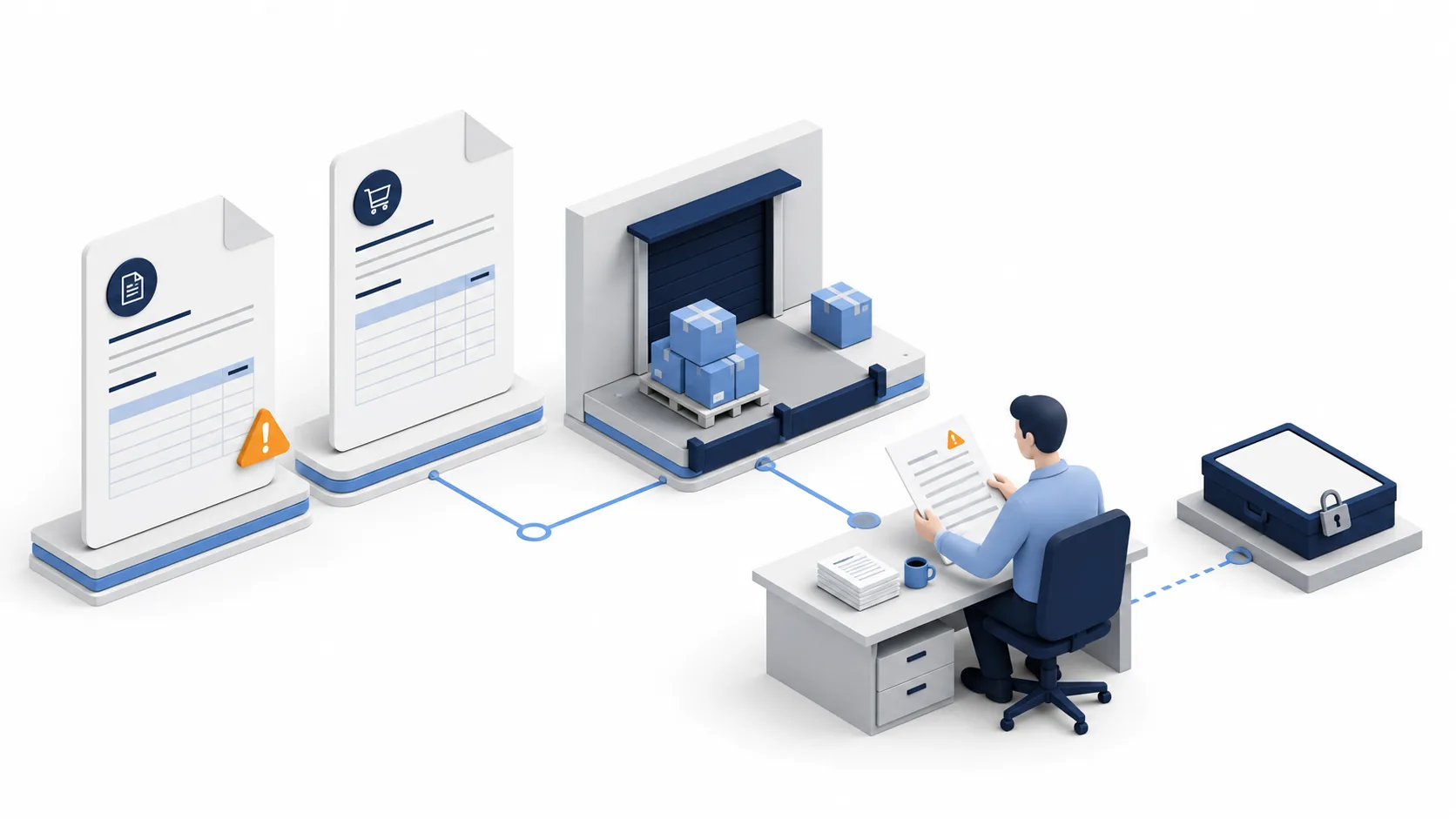
Quick answer: route the failed condition, not just the invoice
Invoice exception handling is the process for resolving a condition that prevents an invoice from following its normal validation, approval or payment path. Record what failed, which line or amount it affects, who can correct it, and what evidence permits the next step. Keep unresolved conditions visible even when another reviewer finishes their part.
Start with an editable register and your approved AP rules. Separate a suspected duplicate from a confirmed duplicate; separate a missing receipt from goods that never arrived. Most importantly, distinguish “evidence collected,” “exception resolved,” “invoice approved” and “payment executed.” An AI-generated explanation is none of those approvals.
For a manageable queue, a shared register may be sufficient. If your accounting system already provides suitable matching and holds, use that control path first. Consider an agent-assisted coordination layer only when gathering context across teams is the bottleneck and you can validate its access, records and handoffs.
Build an exception record before building automation
A hold is a restriction in a financial system; an exception is the condition being investigated. They are related but not interchangeable. Oracle documents that invoice holds can prevent payment and sometimes accounting, with different release mechanisms. Check your own system's behavior instead of assuming every queue status has the same effect. Oracle: how invoice holds work.
Use one parent record per invoice and a linked record for each unresolved condition. An invoice with a price dispute and a bank-change request needs two decisions, not two disconnected payment requests. Record whether a restriction applies to the whole invoice, a line, or a permitted portion; do not assume line-level release is supported.
| Record group | Minimum useful information | Why the reviewer needs it |
|---|---|---|
| Identity and source | Supplier identifier, legal entity, invoice number, date, currency, original document and version | Avoid matching across suppliers or entities and preserve what was submitted |
| Failed condition | Case type, affected lines, observed value, expected value, rule version and approved tolerance | Explain the actual discrepancy rather than a vague red flag |
| Financial restriction | Posting, approval and payment status; authoritative system record | Make clear which action is blocked and where the restriction is enforced |
| Ownership and timing | Resolver, decision authority, next action, due date, escalation and backup | Prevent unowned work and distinguish investigation from approval |
| Resolution | Evidence link, correction reference, decision maker, reason and revalidation result | Let another reviewer reconstruct why the case moved forward |
Download the editable exception register. Complete one record using a sanitized invoice before connecting any automation. Store restricted documents in the approved repository; the register can hold links rather than extra copies. Never place full bank credentials or unrelated personal data in a broad team channel.
Twelve invoice exceptions: owner, evidence and release condition
These are routing patterns to adapt with your finance controller. Their order is not a universal priority ranking. A small suspicious payment-instruction change may need more urgent investigation than a large, understood delivery mismatch. Deadlines and amount thresholds must come from your approved policies.
1. Missing or invalid purchase order
An invoice has no valid purchase order (PO), references a closed order, or points to another entity's order. First ask whether this category legitimately follows a non-PO route. Rent and approved recurring services, for example, may follow different controls in different organizations.
Route to procurement or the authorized budget owner with the invoice, contract reference and reason the PO failed. The exit condition is a valid purchasing basis and required authorization—not an invented or backdated PO created merely to make the system green. If no authorized route exists, retain the restriction and request a decision.
2. Missing goods receipt or service acceptance
The ordered item appears plausible but the required receipt is absent. Route physical deliveries to receiving and services to the person authorized to accept the work. A supplier delivery note can help investigation; it does not prove your organization accepted every item or milestone.
Request the affected lines, delivery or service period, quantity and acceptance evidence. Continue only after the responsible owner records the actual outcome and the relevant check is rerun. AP should not confirm receipt on someone else's behalf just to close the queue.
3. Quantity differs from the accepted delivery
Check units of measure, partial deliveries, returns and previous invoices before deciding there is an overcharge. A carton and an individual item are not interchangeable quantities. Display both the original units and any authorized conversion.
Receiving establishes what arrived; procurement handles the commercial discrepancy. Resolution may require a corrected invoice, a credit or a later verified receipt. Your policy decides whether a portion can proceed. Do not mark the whole invoice resolved because one line matches. Dynamics 365's matching examples distinguish price comparisons from receipt-quantity comparisons; the configured policy matters. Microsoft: three-way matching policies.
4. Unit price or agreed discount mismatch
Compare the invoice against the applicable order or contract version, including discount conditions and effective dates. Show the difference per line, not just the total. An apparently small total variance can hide one overcharge offset by another undercharge.
Procurement or the contract owner confirms the commercial basis; authorized finance staff decide the next processing step. Keep the original values and the approved correction. Do not let a model choose a new tolerance or quietly edit the PO to match the invoice.
5. Possible duplicate invoice
Use supplier, entity, invoice identifier, currency, amount and service period together. A repeated amount can be legitimate for recurring services; a slightly changed invoice number can still describe the same obligation. Extraction mistakes and resubmissions need investigation, not an automatic fraud label.
AP should inspect the candidate pair, existing credits and payment status. If one submission is a duplicate, link the retained record and document the treatment of the other. If payment may already have occurred, escalate through the established recovery process; deleting a duplicate queue item does not recover money.
6. Supplier identity or legal-entity mismatch
The invoice name may differ from the approved supplier record, or the buyer entity may be incorrect. A trading name is not automatically misconduct, but a similar name is not sufficient verification either. Keep the invoice's original identity fields visible.
Route to supplier-master administration and the purchasing owner. They should establish the correct relationship and authorized correction. The resolver should not create a second vendor simply to bypass the mismatch. Recheck related documents after any approved master-data change.
7. New or changed bank instructions
Treat payment-detail changes as a separate verification task, even if the invoice otherwise matches. Route to the authorized supplier-master or treasury team under your security process. Use independently established contact information, not a phone number supplied only in the change request.
The FBI advises verifying changes to account numbers or payment procedures and being cautious about urgency. That supports verification; it does not establish that a particular request is fraudulent. Keep the payment restriction until your authorized verification and approval steps are complete. FBI: business email compromise.
8. Tax fields or tax amounts need review
Missing tax identifiers, inconsistent amounts or unfamiliar treatment should go to the appropriate tax or accounting specialist. Provide the invoice, transaction location, entities, supply description and relevant contract information through approved access.
The exit condition is a documented specialist decision or a corrected document, followed by the required processing checks. This guide supplies no universal tax rate, deductibility test or invoice-validity rule. Do not infer a tax treatment from the language of the invoice or a previous supplier's example.
9. Unapproved freight, fees or additional charges
Separate the base goods or service amount from freight, handling and other charges. Identify the contractual basis and whether the charge was already included elsewhere. A plausible description does not establish authorization.
Procurement or the contract owner resolves the commercial question; AP records the authorized result. Retain evidence for a corrected charge, approved variation or credit. If the contract is unclear, route that uncertainty explicitly rather than categorizing the fee as “miscellaneous” to move on.
10. Currency or conversion discrepancy
Display invoice currency, purchasing currency and any permitted settlement currency separately. Determine whether there is a document mismatch or an accounting conversion issue. The same numeric amount in different currencies is not a match.
Treasury or accounting should confirm the applicable basis, including an approved rate source and date where relevant. Keep the original denomination and resulting decision. Never select whichever exchange rate makes a discrepancy disappear, and do not sum unresolved amounts across currencies without a disclosed conversion basis.
11. Missing or invalid approval
An approval may be absent, outside the approver's authority, attached to an older version, or based on an expired delegation. Route the current document and decision request through the approved authority matrix. A copied email signature or a previous month's approval is not evidence for the new decision.
Keep requester, investigator, approver and payment responsibilities appropriately separated under your controls. Completion requires a valid approval for the relevant version and amount. Silence, a reminder being sent, or an AI summary saying “approved” is not consent.
12. Credit note, return or commercial dispute remains open
A supplier may promise a credit while the original invoice remains in the payment queue. Link the disputed lines, return or claim, correspondence and any received credit document. A promised credit and an applied credit are different states.
Assign a commercial owner and an AP owner for the accounting-system follow-through. Resolve according to the approved settlement or corrected records, then check the remaining obligation. Where partial settlement is allowed, record precisely what remains disputed and who owns it; do not close the whole case automatically.
Run the queue through five explicit handoffs
- Validate intake. Preserve the original, check the entity and supplier, and review uncertain extracted fields. A missing value stays missing until a source supports it. Group repeat submissions without losing their provenance.
- Identify all active conditions. Apply the approved rules and attach each condition to the invoice. Record the current system restriction. If the coordination tool cannot enforce a hold, the authorized AP process must do so in the financial system.
- Assign a resolver and decision authority. Send a specific request: “Confirm accepted quantity for line 2 and attach the receipt,” not “Please review.” Name a backup and an escalation time appropriate to the due date and risk.
- Record correction and revalidate. Compare new evidence against the original condition. A changed amount, supplier record or invoice version can invalidate earlier checks. Verify that every required condition is resolved before requesting the next authorized action.
- Reconcile the downstream outcome. Record the financial-system result separately from the coordination status. If an update times out, inspect the existing transaction before retrying. Reopen the case if the system rejects it or later evidence changes the decision.
For aging, retain both the original exception time and the most recent assignment time. Otherwise repeated reassignment can make old problems look new. Track the number of affected invoices and the number of conditions separately; one invoice with three exceptions is not three invoices.
Worked example: a quantity mismatch and a bank change
The following is a hypothetical training scenario in USD, excluding tax, freight and exchange effects. It is not a real transaction, a universal threshold or an OpenMax performance test. A PO orders 40 units at USD 25 each, totaling USD 1,000. The recorded receipt supports 32 units. The supplier invoices 40 and includes new bank instructions.
Calculate the difference without deciding the payment
At the unchanged unit price, the receipt supports 32 × USD 25 = USD 800. The unmatched quantity is 8 units and the associated amount is USD 200. Those calculations locate the discrepancy; they do not authorize paying USD 800 or establish whether the remaining goods were delivered.
| Condition | Resolver and evidence request | State before resolution |
|---|---|---|
| Eight units not supported by the receipt | Receiving checks the delivery; procurement requests correction if needed | Quantity exception open; restriction follows approved policy |
| New bank instructions | Authorized master-data or treasury team verifies through the established channel | Independent verification open; payment restriction remains |
Close each condition, then reassess the invoice
Suppose receiving confirms that only 32 units arrived, and the supplier issues a corrected invoice for USD 800. AP links the original and replacement so the original is not processed separately. The quantity condition can be rechecked against the corrected invoice, but the bank-change condition remains open.
Only after the authorized bank verification, current approvals and other required checks are complete should the next permitted processing step be requested. The financial system records that outcome. If the corrected invoice arrives twice, it joins the existing case rather than creating another payable. This is why “one issue resolved” must not mean “invoice ready to pay.”
Choose the simplest method that preserves the controls
Shared register and named owners: useful when the queue is manageable and AP can reliably reconcile status with the accounting system. Setup is light, but permissions, version history and follow-up require discipline. Stop relying on this alone if unresolved cases regularly lose their owners or records diverge.
Native AP or ERP workflow: prefer it when the required matching, authority and hold behavior already exist. It keeps the control close to the transaction. Verify configuration with the system owner rather than assuming a feature is enabled. It may still need a separate way to gather business context from receiving or procurement.
Rules or scripted coordination: useful for stable identifiers, routing and reminders. Define duplicate handling, error reporting and retry behavior before writes. If inputs vary too much or the script cannot establish the authoritative record, send the case to review instead of guessing.
Agent-assisted coordination: worth evaluating when contextual document reading and cross-team requests consume time. It adds uncertainty about extraction, interpretation and actions. Require source-linked proposals and a controlled fallback; it should not replace a functioning ERP approval path merely to add AI.
Where OpenMax fits—and what must be verified
OpenMax presents itself as a workspace for human–agent collaboration, with agent integration and multiple collaboration channels. That positioning is relevant to cross-team follow-up. It is not evidence that a particular AP connector, invoice hold, accounting write-back or payment integration is available and configured for you. OpenMax product overview.
An initial evaluation could use sanitized, read-only records: ask an assistant to propose a case type, point to the source fields, and draft a request to the responsible team. A human compares that packet with the approved matrix. These are proposed evaluation tasks, not a claim of verified out-of-the-box functionality.
Before connecting live records, confirm available integrations, permission boundaries, storage and retention, audit export, approval separation, failure recovery and the actual restrictions on writes. If any required control cannot be demonstrated, keep that action in the existing approved system. Do not rely on a prompt such as “never pay” as the sole access control.
Start with the editable register, then discuss a source-linked invoice triage evaluation with OpenMax. Bring one sanitized mismatch, the expected owner and the required resolution evidence. There is no need to begin with bank access or a complete payment workflow.
For adjacent tasks, see the accounts payable automation overview, the narrower three-way matching guide, and human review in agent workflows. These are related reading, not independent proof of product integrations.
Validate the workflow before handling live invoices
Build a small, representative test set with expected outcomes approved by your finance team: a legitimate recurring invoice, a duplicate resubmission, a partial delivery, an ambiguous scan, conflicting approvals and a bank-change request. Include one invoice with multiple simultaneous exceptions. These are suggested test cases; this article does not claim they have been run in OpenMax.
Check whether the workflow finds the correct source, selects an appropriate owner, preserves restrictions and refuses unsupported conclusions. Attempt a timeout and repeated submission in a safe environment. Confirm that neither creates a second payable or loses the original unresolved condition.
Measure missed material exceptions, false flags, time awaiting an owner, reopened cases and downstream reconciliation failures. Define the denominator and observation period before comparing results. A faster “closed” status is not an improvement if financial records remain unresolved. Investigate causes before setting an automation target.
Your finance controller must approve routing, tolerances and authority. Tax, legal, treasury and security specialists should review the parts within their remit and relevant jurisdictions. Limit shared data, treat invoice text as untrusted input, and maintain a documented manual fallback. This operational guide is not professional financial, tax, legal or fraud-investigation advice and has not received a named specialist's approval.
Frequently asked questions
Does every invoice exception block payment?
Not necessarily. Your rules and system determine which condition blocks posting, approval, payment or a permitted portion. Record the actual restriction and decision authority. This guide does not authorize bypassing an existing hold.
What is the difference between an invoice exception and a hold?
An exception is a condition requiring resolution. A hold is a restriction applied in the financial system. A coordination task can describe an exception without enforcing a hold, so the authorized AP process must verify the system state.
Can AI resolve a suspected duplicate automatically?
It can be evaluated for identifying candidate matches and assembling evidence. A similarity score alone cannot establish the same obligation or payment status. Use your approved duplicate-resolution process before changing financial records.
Who owns an invoice with several exceptions?
Assign one coordinator for the invoice and a resolver for each condition. Keep approval authority explicit. Closing one condition must not close the others or independently release the invoice for payment.
What should we automate first?
Start with source-linked information gathering or draft internal requests on sanitized records. Compare those outputs with human decisions, verify permissions and failure handling, and expand only after the relevant owners accept the results.
Sources, method and editorial responsibility
Prepared by the OpenMax content team and revised September 4, 2026. This is OpenMax-branded product education with a commercial link to OpenMax, not an independent product review. We compared official system guidance with a proposed operating workflow and wrote the routing cases, register and hypothetical arithmetic example for this guide. No customer interview, production experiment or certified financial review is claimed.
- Microsoft Dynamics 365: three-way matching policies — system-specific examples of price and receipt-quantity matching; do not import its sample tolerances as your policy.
- Oracle Financials 26B: how invoice holds work — distinctions between hold effects and release mechanisms.
- FBI: business email compromise — verification context for changed payment instructions.
- OpenMax — vendor description of the collaboration product, not independent confirmation of a particular accounting integration.
The practical next step is one complete case, not a bigger exception list: choose a real category, prepare sanitized evidence, name its resolver, and agree what would justify moving forward. Keep payment authority where your organization has deliberately placed it.