

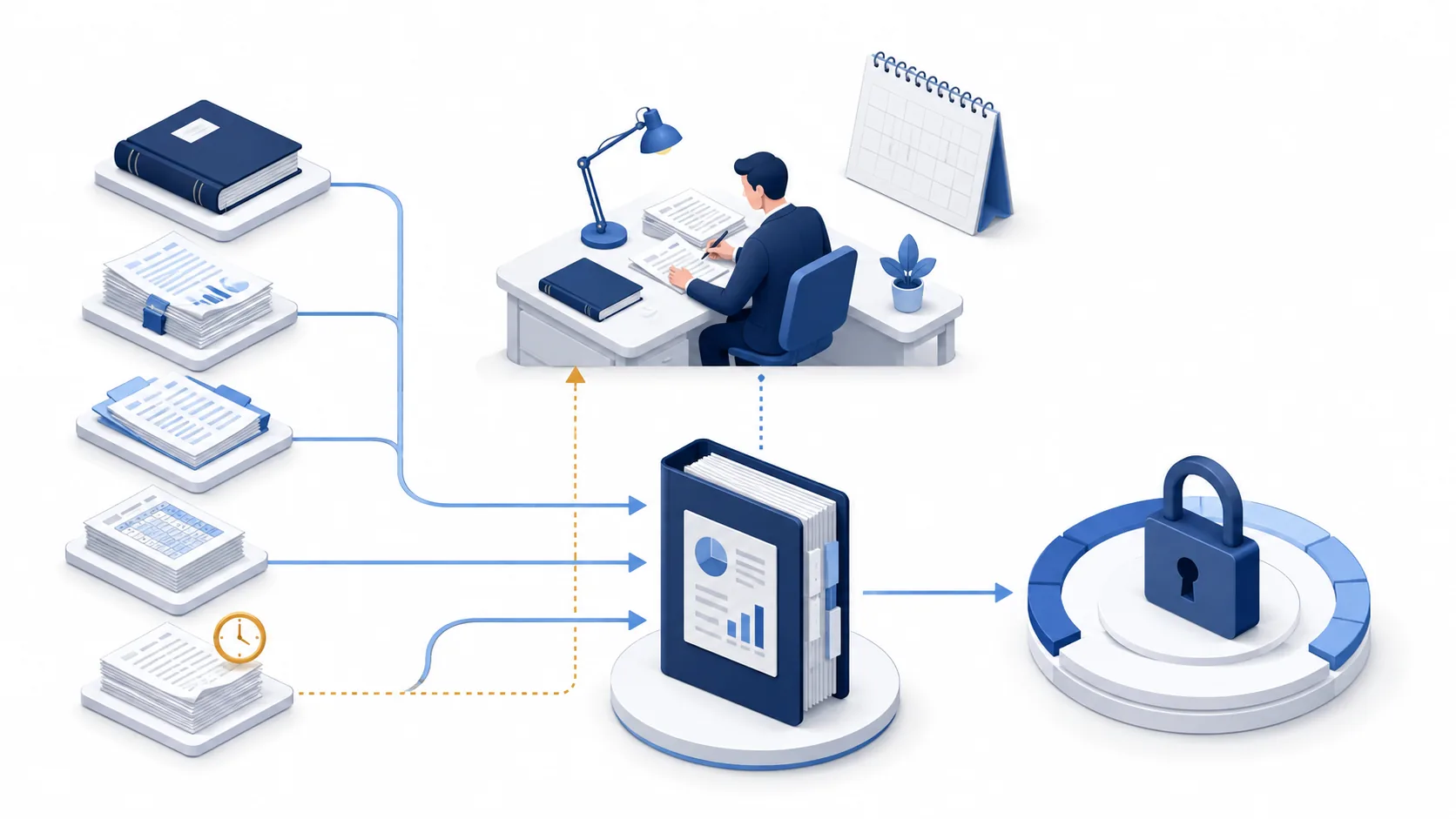
Quick answer: define completion before starting the close
Month-end close is the controlled process of completing period activity, reconciling records, reviewing estimates and adjustments, and preparing an approved reporting version. A subledger contains detailed activity for an area such as accounts payable; the general ledger (GL) contains the accounting balances to which that activity must reconcile. A checklist coordinates this work but does not prove its accuracy by itself.
Use separate states for prepared, reviewed, blocked, reopened and not applicable. “Prepared” means the work and support are ready for review. “Reviewed” means the designated reviewer accepted the specified version and any conditions. A later posting can invalidate that conclusion. “Not applicable” needs an owner and reason, not an empty cell.
Define closing authority separately from task administration. Microsoft Dynamics 365 Finance, for example, documents task dependencies, attachments and completion history in its financial close workspace. That is task-management behavior, not evidence that marking a schedule closed independently certifies the accounts. Microsoft: financial period close workspace.
Build a period-specific close register
Start with the entity, ledger, reporting period, accounting basis, currencies, systems and reporting deadline. For each task, retain preparer and reviewer, due time and time zone, prerequisite, source reference and version, conclusion, unresolved amount or question, downstream impact and approval record. Keep payroll, banking and tax evidence in restricted repositories; a broadly shared task board should carry references rather than sensitive originals.
The calendar should follow dependencies, not an arbitrary five-day promise. In the illustrative sequence below, D means the local period-end date and working days follow the organization's approved calendar. These are planning windows, not benchmarks or rules to delay available work.
| Illustrative window | Work to organize | Readiness condition |
|---|---|---|
| D−5 to D−1 | Confirm owners, recurring schedules, source availability and expected cutoff issues | Scope and missing-input requests agreed |
| D to D+1 | Capture period activity and complete source populations | Entity, period, totals and missing feeds identified |
| D+1 to D+3 | Reconcile, resolve differences and prepare supported adjustments | Prerequisites available; exceptions have owners |
| D+3 to D+4 | Review balances, consolidate where applicable and refresh reports | Approved adjustments reflected in current versions |
| D+4 to D+5 | Controller review, report release and controlled period lock | Required decisions complete and actual system states verified |
Some tasks run throughout the month; complex groups may need a different calendar. Record who approved a deadline change and which dependent review moves with it. Microsoft describes relative due dates and working calendars for its workspace; the table above is an editorial example, not its recommended schedule. Microsoft: close configuration and calendars.
Download the editable 25-task month-end close worksheet. Use it to assign evidence and review conditions before work begins. A blank checklist is not authority to post a journal or close a ledger.
Twenty-five close tasks and their completion tests
1. Confirm scope and the close calendar
The controller should identify entities, ledgers, period dates, reporting basis, currencies and required outputs. Assign actual preparers, reviewers and backups; “finance” is not a usable owner. Include holidays, local time zones and dependencies between teams.
Accept this task when the approved calendar and scope version are available to the participants. A new entity, late acquisition or reporting request reopens the affected scope decisions. Do not quietly add work while leaving dependent deadlines unchanged.
2. Control prior-period access and late changes
Identify which periods remain open and who may authorize corrections or reopening. Separate the accounting decision from administrator access. A person technically able to change a closing date does not automatically have business approval to do so.
Intuit documents admin-only changes to the QuickBooks Online closing date and an Exceptions to Closing Date report. This shows why post-close change monitoring matters; it does not establish an immutable lock in every configuration. Retain the reason, approval, changed records and affected reports. Intuit: edit closed books and track changes.
3. Collect complete bank and payment evidence
Map every in-scope bank account and payment platform to its statement or settlement report. Check account identifiers, dates, opening and closing balances, and whether the feed covers the entire period. A file named “August statement” can still omit an account or the final day's activity.
Treasury or cash-accounting owners should identify missing inputs before reconciliation. Preserve the original statement reference and export parameters. Do not fill a gap by assuming the previous period's balance or treating an unavailable feed as zero activity.
4. Reconcile cash and explain timing differences
Compare bank evidence with the cash ledger, identifying outstanding payments, deposits in transit, fees and transfers. Reconciliation explains a difference; it does not require every legitimate timing item to disappear by month end.
The preparer should list each reconciling item, age, evidence and expected resolution. A reviewer challenges stale or unsupported items and authorizes corrections through the journal process. Do not post a balancing amount merely because it makes the report display zero.
5. Reconcile accounts receivable
Tie the accounts receivable (AR) population to the relevant GL accounts using the same entity, period and currency scope. Review unapplied receipts, customer credits, disputes and movements in overdue balances. Check that both reports include the same posting status.
Document the control-total difference and its cause. An export-filter mismatch requires a corrected population, not a customer write-off. Credit notes, reclassifications and write-offs remain separate accounting decisions with their own authorization and support.
6. Review credit-loss estimates
Provide the responsible accountant with the receivable population, aging, prior assumptions, current risk evidence and any approved estimation model. Identify changes in inputs separately from changes in methodology. A model output without a defined population is not a supportable conclusion.
The qualified owner determines the applicable accounting treatment, assumptions and review requirements. An assistant can reproduce supplied calculations or flag missing support; it must not invent a loss rate, infer customer creditworthiness from unrelated personal traits or turn an aging bucket into automatic approval.
7. Reconcile accounts payable
Compare accounts payable (AP) balances with the GL by entity, supplier site, currency and posting scope. Examine debit balances, aged items and duplicate candidates. First determine whether a difference is missing activity, different filters or an actual accounting issue.
Retain the reconciliation and the disposition of each exception. A similar invoice number is not proof of duplicate payment or misconduct. The AP owner resolves source questions; approved adjustments must be reflected in a refreshed reconciliation before review is complete.
8. Review unmatched invoices and receipts
Identify blocked invoices, purchase-order mismatches and goods received but not yet invoiced. Assign each issue to AP, procurement, receiving or the business owner according to the missing fact. A missing receipt document and an actual undelivered item require different investigations.
Keep unresolved items visible for the appropriate accrual and cutoff review. Do not invent receipts, backdate orders or remove holds just to finish the close task. Three-way matching explains the line-level evidence; invoice exception handling explains ownership and resolution.
9. Support expense accruals
An accrual records an amount under the applicable accounting policy before the normal invoice or settlement process is complete. Collect contracts, service confirmations, receipts and existing entries so the accountant can assess period, obligation and amount without double counting.
The schedule should show its calculation, uncertainty, supporting owner, proposed treatment and any reversal or true-up plan. A purchase order alone does not prove services were received. Approval of the estimate and approval to post remain explicit, and a later invoice should be compared with existing accruals.
10. Reconcile prepaid expenses
Roll forward opening balance, additions, recognized expense and other approved adjustments to the ending balance. Link each material schedule to the contract or service period and the related GL account. Confirm that additions were not also expensed elsewhere.
The accountant reviews period allocation, policy and changed service terms. Do not continue a prior schedule automatically after cancellation or modification. Completion requires the current schedule to agree with the ledger and unresolved differences to have an approved disposition.
11. Reconcile inventory quantity and value
Tie inventory records to the relevant GL balances and review period-end movements, count differences, goods in transit and negative quantities. Establish which locations and ownership terms are included before interpreting a variance.
Operations supplies movement and count evidence; finance determines valuation and any reserve or write-down under the applicable policy. Matching physical quantities does not prove the valuation is correct. Record inventory issues that affect purchasing, cost of sales or reporting dependencies.
12. Review fixed assets and related schedules
Reconcile additions, transfers, disposals, construction in progress, depreciation and ending asset balances. Retain approval and placed-in-service evidence where relevant, rather than assuming an invoice date determines when depreciation starts.
Capitalization, useful life, impairment and lease-related treatment require the responsible accountant. Identify missing asset movements or changed use and route them for review. A schedule copied from last month is complete only after this period's activity and assumptions are checked.
13. Reconcile payroll and employee liabilities
Compare payroll register totals, funding and the relevant expense and liability accounts. Include applicable benefits, bonuses, leave and payroll-tax schedules, while limiting employee-level evidence to authorized reviewers.
Use control totals or restricted references in the close register. A mismatch should lead to a specific payroll or accounting inquiry, not a broad export of salaries into a shared AI prompt. The reviewer should know which payroll runs and adjustments the reconciliation covers.
14. Reconcile tax accounts
Identify applicable tax payable, receivable, withholding and provision accounts. Compare movements with approved schedules, filings and payments using the same entity and period. Separate a missing posting from a disputed tax position.
Tax professionals determine rates, jurisdictions, positions and filing obligations. This checklist does not prescribe them. Completion means the designated tax owner has reviewed the scoped reconciliation and communicated unresolved issues that affect the close or reporting.
15. Reconcile intercompany balances
Match reciprocal transactions by counterparty, document, currency and period. An entity's receivable and another entity's payable may differ because of timing, exchange rates, fees or missing entries; the reason must be established before an adjustment.
Both sides should agree on the evidence and responsible action. Do not force one ledger to match the other by an unsupported entry. Preserve the entity-level resolution and any consolidation treatment as separate records, especially when the source books remain different.
16. Explain suspense and clearing accounts
List each open suspense or clearing item with its origin, age, owner and intended resolution. These accounts hold items pending classification or settlement; a zero total can hide offsetting unresolved amounts.
Review the underlying items, not only the net balance. Assign overdue investigations and require support for reclassification. A plug entry that erases an unexplained amount changes its location without establishing that the accounting is correct.
17. Review revenue cutoff
Cutoff asks whether activity belongs in the correct reporting period. Define the population around period end and compare contract terms, delivery, acceptance, service dates, returns and billing evidence. Invoice timing alone is not a universal revenue-recognition rule.
Revenue accountants apply the relevant framework and approved policy. Preserve the sampling or selection method and conclusions, including exceptions. If source evidence changes, reopen affected review rather than leaving last week's acceptance attached to a different population.
18. Review expense cutoff and later information
Inspect relevant receipts, service confirmations, invoices and subsequent activity for obligations or timing questions relating to the closing period. Record what existed at period end and what became known later; do not move every late invoice automatically into either month.
For IFRS financial statements, IAS 10 distinguishes events that provide evidence about conditions at period end from those arising afterward. It does not set a generic monthly management-close deadline. The accountant determines the applicable adjustment or disclosure treatment. IFRS Foundation: IAS 10 overview.
19. Review foreign-currency treatment
Confirm functional and reporting currencies, in-scope balances, approved rate sources, dates and calculation versions. Separate transaction remeasurement from translating a foreign operation or preparing a different presentation currency; these are not interchangeable tasks.
The IFRS Foundation's IAS 21 overview identifies foreign-currency transactions, translation and exchange-rate effects as distinct issues. Qualified accounting owners determine the relevant treatment and current requirements. Do not substitute a convenient live market quote for an approved accounting rate. IFRS Foundation: IAS 21 overview.
20. Perform variance analysis with supported explanations
Compare actual results with the approved prior-period, budget or forecast baseline at the intended account and entity level. Agree investigation thresholds and qualitative triggers with the controller; a small amount can still reveal a control issue.
Separate arithmetic from causation. A cost increase may reflect timing, volume, price, classification or missing data, and a model should not invent the business explanation. Link explanations to the owner and evidence, and update them when adjustments change the reported variance.
21. Review journals and posting completeness
Review the defined population of manual, late, unusual and consolidation journals. Check support, period, preparer, reviewer, authority and actual posting status. An approved journal sitting in an unposted batch has not changed the GL.
Oracle's Subledger Period Close Exception Report identifies events and journals that fail its period-close validation, including unprocessed events or untransferred entries. Use relevant system reports with the correct ledger and period; do not assume a green task board replaces them. Oracle: subledger period-close exceptions.
22. Complete the balance-sheet reconciliation inventory
Confirm every required balance-sheet account has current support, reconciling items, aging, owner and reviewer conclusion. This is the coverage check across the earlier detailed reconciliations, not an instruction to duplicate all preparer work.
Investigate missing or stale reconciliations, including zero-balance accounts where policy requires review. Compare each approved reconciliation with the current GL version. A late posting should trigger a targeted re-review, not remain hidden behind an earlier completion timestamp.
23. Consolidate the applicable entities
Validate entity submissions, mappings, ownership scope, translation, eliminations and approved group adjustments. Record which trial-balance version each entity supplied. A trial balance is the list of ledger account balances used for the close and reporting checks.
The consolidation owner should resolve intercompany and mapping exceptions before accepting the group version. If a source entity changes, determine which eliminations and reports must be rerun. Do not overwrite the prior submission or assume every entity has identical reporting requirements.
24. Prepare and review one controlled reporting pack
Generate statements and management schedules from the accepted close version. Check control totals and consistency across the balance sheet, income statement, cash-flow work and supporting schedules as applicable. Clearly distinguish draft, reviewed and released versions.
Financial presentation and disclosure judgments stay with authorized finance and legal owners. A refreshed spreadsheet beside an old PDF is not one coherent pack. After any accepted late adjustment, regenerate affected outputs and record which earlier version is superseded.
25. Obtain sign-off, verify the lock and record follow-up
Present the controller with reviewed tasks, unresolved items, approved exceptions, late changes, limitations and the exact reporting version. The controller decides readiness under the organization's authority and policy; a completion percentage cannot make that decision.
An authorized administrator performs the permitted period changes and confirms actual system status. Record post-close monitoring, any reopening route and next-cycle improvements with owners. Closing the schedule, closing a subledger, locking the GL and releasing reports must remain distinguishable events.
Run the checklist as a dependency-driven workflow
- Set scope and completion tests. Agree what evidence and review each task requires before assigning dates. Mark genuinely irrelevant tasks with an approved reason.
- Capture the source version. Record ledger, period, export parameters and extraction time. Check population completeness before calculating differences.
- Prepare work and isolate exceptions. Route missing facts to the right owner; preserve amount, question and dependent task. Do not trade an unexplained balance for a completed checkbox.
- Review and apply authorized changes. Separate preparation, approval and posting. Confirm the actual result, then refresh affected reconciliations.
- Review the consolidated reporting version. Inspect required balances, disclosures and cross-report consistency. A draft output can exist while its release remains blocked.
- Authorize closure and monitor changes. Verify the relevant period states and report release. Reopen affected work when later changes invalidate its evidence.
Track review waiting, missing-input waiting, unresolved differences and reopened tasks separately from elapsed close time. Define the denominator of any completion rate and preserve original due dates when rescheduling. Faster completion with more unsupported balances is not an improvement this guide recommends.
Worked example: one late invoice invalidates an earlier review
Trace the amount before deciding the accounting action
This hypothetical example uses one entity and USD, excludes tax and foreign exchange, and is not a customer result. An August service accrual of USD 12,000 was recorded and reviewed. A USD 15,000 invoice for the same service arrives before the reporting pack is released. The numerical difference is USD 3,000, but that difference alone does not authorize an entry.
The accountant first checks service scope, period, existing accrual and any invoice posting or reversal. If the invoice includes September work, duplicates an existing record or uses a different charging basis, the simple difference is not the accounting answer. The following table assumes the owner has confirmed the same August service and a previously unposted invoice.
| Review point | Evidence or arithmetic | Consequence |
|---|---|---|
| Previously reviewed support | August accrual USD 12,000, version A | Earlier review covers that amount and version only |
| New evidence | Invoice USD 15,000 for the same confirmed service | Owner assesses treatment and existing entries |
| Difference to investigate | USD 15,000 − USD 12,000 = USD 3,000 | Not automatic posting authority |
| Accepted revised balance | Accounting owner approves a total obligation of USD 15,000 | Ensure the invoice and accrual are not both retained as duplicate liabilities |
| Downstream re-review | Revised journal/GL evidence and refreshed expense schedule | Reopen affected reconciliation, variance explanation and reporting version |
If both USD 12,000 and USD 15,000 remain recognized for the same obligation without the appropriate offset or reversal, the total is USD 27,000—not the intended USD 15,000. The owner selects and approves the correct processing route in the actual system. This example deliberately does not prescribe journal accounts or imply that merely adding USD 3,000 is always correct.
Reopen only the work whose evidence changed
The AP or accrual task becomes reopened; the affected reconciliation and report-release review cannot remain accepted on version A. An unrelated bank reconciliation need not be repeated solely because the checklist changed. Define the dependency path from the actual posting and account impact, rather than marking every task open or leaving everything complete.
After authorized processing, confirm the revised ledger, review the affected schedules and issue version B only through the release process. Preserve version A as superseded evidence. If the period was already locked, use the approved late-change process before any write; the example is not permission to reopen it.
Choose the simplest method that preserves evidence and dependencies
A controlled spreadsheet and document repository can be sufficient for a small team with clear ownership. Use restricted source links, consistent status definitions and a change history. Its weakness is keeping dependencies and report versions aligned when many people update separate files.
Native accounting or ERP close functions deserve inspection before adding software. Check actual period controls, exception reports, task history and permissions in the organization's configuration. A scheduling module and a ledger lock solve different problems, even when offered by the same vendor.
Dedicated reconciliation or close-management software may help a larger organization manage certifications and account coverage. Evaluate its evidence access, entity scope, reviewer controls and handling of reopened items. A product label alone does not establish control effectiveness.
Agent-assisted coordination is worth evaluating when fragmented requests and review follow-up are the proven bottleneck. Compare it against the simpler methods on the same criteria. It should not create an additional ledger, infer missing balances or turn an unverified message into accounting sign-off.
Where OpenMax may fit in the close
OpenMax describes a human–agent collaboration platform. That suggests a possible coordination role, not a verified accounting connector, journal-posting engine or financial certification service. OpenMax product positioning.
Begin with sanitized task references and read-only access. Ask the proposed workflow to identify missing evidence, draft a specific owner request and show which reviews a changed source may affect. Test whether it keeps a prepared task separate from a reviewed one and preserves a controller's unresolved condition after a new file arrives.
The intended environment must demonstrate repository permissions, entity isolation, source-version handling and any integration before sensitive evidence or writes are permitted. If native tools already make the work clear, another layer may not help. Otherwise, prepare one ordinary close task and the late-invoice scenario, then discuss a scoped close-coordination evaluation with OpenMax.
The financial reporting automation overview covers adjacent reporting work. It does not replace the accountant's close policy or verify an integration merely because it appears on the same site.
Keep accounting judgment and report release with authorized people
Materiality, recognition, valuation, impairment, tax, consolidation and disclosure decisions require qualified accounting review. Do not apply a universal dollar threshold or use an AI confidence score as approval. A suspicious journal is a review lead, not a finding of fraud or misconduct.
Treat uploaded documents and comments as untrusted content, not instructions to change permissions or transmit records. Restrict salary, tax and banking evidence, use approved retention rules and reconcile uncertain write attempts before retrying. Preserve who changed the record and the actual result.
Return to the 96%-complete tracker: which current balances remain unsupported, which reviews rely on an older version, and who may authorize the remaining action? Resolve those questions before releasing the pack. The objective is an explainable, reviewed close—not a cosmetically complete task board.
Frequently asked questions
How many days should month-end close take?
There is no universal deadline in this checklist. Set the calendar using reporting obligations, source availability, entity complexity, dependencies and review capacity. The D−5 to D+5 windows are an illustrative plan, not a performance benchmark or a promise.
Must all twenty-five tasks apply to every business?
No. A business without inventory or foreign operations may have different needs from a multi-entity group. Document approved exclusions and add relevant areas such as debt, equity, leases or industry-specific schedules. The controller owns the complete account and risk coverage.
Does a zero reconciliation difference mean the account is correct?
Not by itself. The population, period, source quality, classification and underlying reconciling items still need review. Offsetting errors or unsupported plug entries can produce zero without establishing an accurate balance.
What happens when an invoice arrives after a task was reviewed?
Assess period, scope and existing entries with the responsible accountant. If the evidence or balance changes, reopen the affected task and downstream review, preserve the earlier version and follow the authorized late-change process. Do not automatically post the difference or reopen a locked period.
Can AI close the books automatically?
An assistant can help organize references, requests and status, subject to verified access controls. It should not be assumed to choose accounting policy, approve estimates, certify reports or hold posting/period-change authority. Any automated action requires separately approved and demonstrated controls.
Sources, editorial method and revision record
Prepared by the OpenMax content team; sources reviewed September 4, 2026. This is OpenMax's own commercial resource. The twenty-five-task workflow and calendar are editorial proposals, not an accounting standard, audit opinion or endorsement by Microsoft, Oracle, Intuit or the IFRS Foundation.
The USD example is hypothetical and checks arithmetic and dependency reasoning only. No first-hand production test, close-time saving or professional reviewer credential is claimed. A named qualified accounting reviewer has not been supplied. Have the controller and relevant specialists review the checklist against the actual reporting framework and system configuration before operational use.
Revision note — September 4, 2026: expanded brief task cards into evidence and completion tests; added an illustrative calendar, localized review worksheet and late-invoice dependency example; separated task completion, accounting review, period controls and report release; replaced unverified OpenMax assurances with evaluation requirements.
Primary sources: Microsoft close workspace, Oracle period-close exception report, Intuit closed-book changes, IFRS Foundation IAS 10, IFRS Foundation IAS 21, and OpenMax.