

Interactive cards
Message cards with buttons and choices — card structure, answers and results, the cards capability and its errors, and the planned approval cards bound to an agent run.
Interactive cards
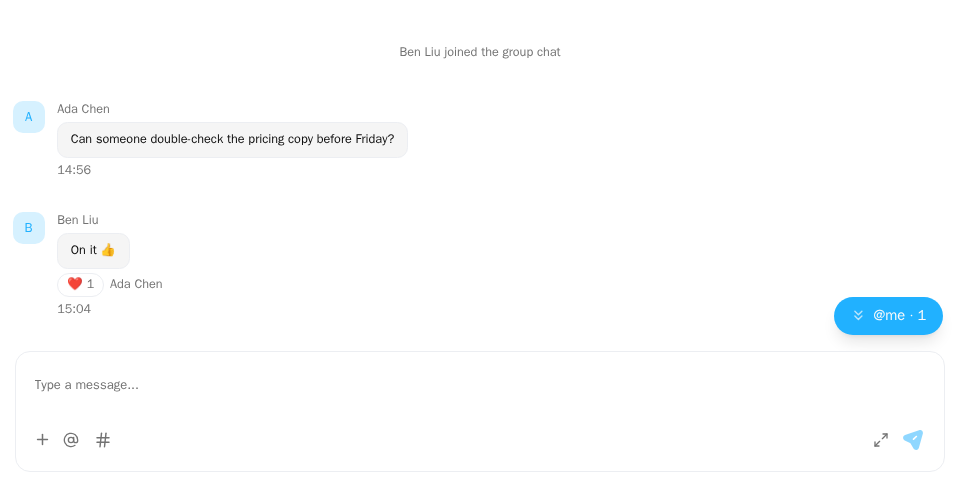
Screenshot of this demo. It runs on an in-memory sample host (useDemoHost from the demo kit, which is not part of the packages); in your app, pass the host from createChatHost() instead.
Demo source (uses the docs demo kit and Tailwind CSS classes, so it cannot be copied as is): cards-basic.tsx
"use client";

import type { ChatConversation } from "@openmaxai/chat/host";
import { ChatHostProvider } from "@openmaxai/chat/host";
import { MessageThread } from "@openmaxai/chat/message-thread";
// Docs helpers: useDemoHost() is an in-memory host with sample data (no backend).
// In your app, pass the host from createChatHost() or your own ChatHost instead.
import { useDemoData, useDemoHost } from "./kit";

export default function CardsDemo() {
	// The demo host provides `cards`: `isOperationAllowed` lets the buttons render and
	// `invokeAction` settles the card (the result line comes back as a "card" signal).
	const host = useDemoHost();
	const { conversations } = useDemoData();
	const conversation: ChatConversation = conversations[0];

	return (
		<ChatHostProvider host={host}>
			<div className="flex h-full flex-col bg-background text-foreground">
				<MessageThread conversation={conversation} />
			</div>
		</ChatHostProvider>
	);
}
The demo code's useDemoHost() is an in-memory host; see Overview for wiring a real one.
When to use
- An agent or integration asks for a decision, offers a choice or reports a result.
MessageThreadrenders any message withcard_body/card_previewas a card, without a bubble. There is nothing to mount.- Cards are drawn by the card plugin
cardRenderer(a message-display plugin, installed by default). It needs thecardscapability on the host; without it cards are drawn read-only: body and result line show, buttons and choices cannot be clicked.
| Footer button | What it does | Host method |
|---|---|---|
| Business action | Runs a product operation (e.g. "accept plan") with an idempotency key | cards.invokeAction |
| Choice | Answers a choice card by action id | cards.settleChoice (optional) |
| "Create agent" | Opens your app's create-agent dialog | cards.openCreateAgent (optional) |
Planned: the choice or form card an agent sends when it needs a decision can be bound to a run, which makes it an approval card.
Card structure
A message with type: "CARD" and a card_body is drawn as a card:
A card message
const message = {
  id: "m_card",
  type: "CARD",
  seq: 4,
  sender_id: "u_sun",
  created_at: "2026-09-20T09:00:00Z",
  fallback_text: "[Card] Plan needs confirmation", // shown where the card cannot be drawn
  card_body: {
    schema: "cws.card.v1",
    kind: "acme.plan",
    mode: "interactive",
    title: "Plan needs confirmation",
    summary: "Redesign the login page",
    blocks: [
      { type: "text", text: "Switch the login page to the new design. About two days.", fallback_text: "Switch the login page to the new design. About two days." },
      { type: "fields", items: [{ label: "Owner", value: "Ada", inline: true }] },
    ],
    actions: [
      {
        id: "a-confirm",
        kind: "operation",
        label: "Confirm",
        operation: "acme.plan.confirm",
        style: "primary",
        confirm: { text: "Go ahead with this plan?", label: "Confirm" },
      },
    ],
  },
};
| Field | Description |
|---|---|
schema |
"cws.card.v1"; any other value falls back to fallback_text. "cws.card.preview.v1" is a truncated preview: no actions, plus an "expand" button. |
kind |
Your card type, for example "acme.plan". |
mode |
"interactive" (has one business action) or "display" (default). |
title, summary |
Card header. |
blocks |
Content blocks, see below. |
actions |
Buttons, see below. |
Block types: text (text), markdown (text), fields (items: [{ label, value, inline? }]), divider, image (url or artifact_id, alt), artifact_list (items: [{ name, meta?, url?, artifact_id? }]) and quote (text, author?). Give every block a fallback_text: an unknown or incomplete block renders it, or is dropped without one.
| Button | Shape | What happens on click |
|---|---|---|
| Business action | kind: "operation", id, label, operation, optional style (primary, secondary, danger, success) and confirm: { text, label? } |
mode: "interactive" cards only; first one used. Calls cards.invokeAction. |
| Choice | kind: "ui", operation: "ui.quick_reply", id, label, params: { text } |
On display cards. Calls cards.submitInteraction when the host has it, otherwise cards.settleChoice; with neither, the buttons are disabled. |
| Create agent | kind: "ui", operation: "ui.open_create_agent" |
Calls cards.openCreateAgent(). Drawn disabled without it. |
Results
card_state on the message ({ action_id, actor_id, result_at, status }) shows a result line at the bottom of the card, such as "Confirmed by Ada at 10:42". When several people answer at once, the first answer wins and the result line shows who answered.
Results are never shown optimistically: after a click, your server writes card_state onto the message, which then arrives by refetching the message or through a realtime signal: { kind: "card" } when the host has already read the card fields, or { kind: "messageChanged", change: "card" } when it only knows the card was answered, and the components fetch that message by id. Results from other devices and other people arrive the same way. card_superseded and card_expired show "Superseded" and "Expired", with the buttons disabled.
Providing the cards capability
cards.ts
import type { ChatCardsPort } from "@openmaxai/chat/host";

const ALLOWED = new Set(["acme.plan.confirm", "acme.plan.reject"]);

export const cards: ChatCardsPort = {
  isOperationAllowed: (operation) => operation !== undefined && ALLOWED.has(operation),

  async invokeAction({ conversationId, messageId, actionId, operation, idempotencyKey }) {
    const res = await api.cardAction(messageId, actionId, { idempotencyKey });
    if (res.ok) return { ok: true };
    return {
      ok: false,
      kind: toCardErrorKind(res.code), // your codes → the enum below
      resetIdempotencyKey: res.code === "IDEMPOTENCY_KEY_REUSED",
    };
  },

  expandBody: (conversationId, messageId) => refetchMessage(conversationId, messageId),

  // Optional:
  settleChoice: async ({ messageId, actionId, idempotencyKey }) => api.answerChoice(messageId, actionId, idempotencyKey),
  openCreateAgent: () => openCreateAgentDialog(),
};
isOperationAllowedis your allow-list of operation names; business actions not on it get no button.- The thread creates the idempotency key, one per button per message, and reuses it when the user retries the same click. Return
resetIdempotencyKey: trueonly when your server says the key belongs to a different click. Keep the key for network errors, timeouts and the like: the action may have run and only the response was lost, and a new key would run it twice. expandBodyfetches a truncated card's full body onto the message.
Errors
On failure, return one of these kinds and the thread shows a matching message in the card:
idempotency-key-reused, operation-retired, superseded, window-expired, action-invalid, forbidden, business-forbidden, not-found, conflict, precondition, rate-limited, unavailable, unknown.
- Use
unknownfor anything you can't classify. forbidden: this person may not press the button.business-forbidden: a business rule rejects the action. They show different messages.- The
unavailablemessage does not claim failure, since the action may have run.
Without the capability
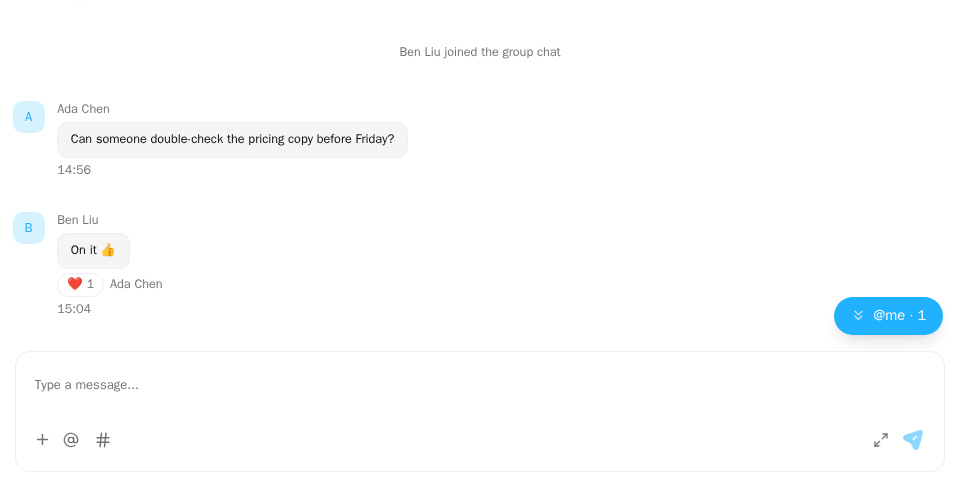
Screenshot of this demo. It runs on an in-memory sample host (useDemoHost from the demo kit, which is not part of the packages); in your app, pass the host from createChatHost() instead.
Demo source (uses the docs demo kit and Tailwind CSS classes, so it cannot be copied as is): cards-without-capability.tsx
"use client";

import { ChatHostProvider } from "@openmaxai/chat/host";
import { MessageThread } from "@openmaxai/chat/message-thread";
// Docs helpers: useDemoHost() is an in-memory host with sample data (no backend).
// In your app, pass the host from createChatHost() or your own ChatHost instead.
import { useDemoData, useDemoHost } from "./kit";

export default function CardsWithoutCapabilityDemo() {
	// No `cards` capability: the card body still renders, the action buttons do not.
	const host = useDemoHost({ without: ["cards"] });
	const { conversations } = useDemoData();

	return (
		<ChatHostProvider host={host}>
			<div className="flex h-full flex-col bg-background text-foreground">
				<MessageThread conversation={conversations[0]} />
			</div>
		</ChatHostProvider>
	);
}
The card plugin is not installed and the message area draws cards read-only: the body, the result line and the "superseded" / "expired" notices show; business buttons are left out; choices and "Create agent" are disabled, with a tooltip saying answering is not available here; a truncated card only says its content is incomplete, with no "expand" button. Nothing you click sends a request, and no message is sent in place of an answer. In a read-only conversation choices are disabled whether or not there is cards, with a tooltip saying the conversation is read-only.
With the SDK, the host has this capability whenever the adapter has cards: createChatHost writes answers into the message store, the business operations to allow are passed through createChatHost({ cards: { isOperationAllowed } }) (nothing is allowed without it), and every answer emits a card.interaction event to onEvent; form-card drafts are kept in the host's instanceScope.storage (they survive a reload with storage: "localStorage"). "Create agent" is passed through createChatHost({ cards: { openCreateAgent } }) (disabled without it; read once when the host is built). With onEvent, onboarding-card impressions and clicks arrive as card.onboarding events; de-duplicating, adding business dimensions and reporting again after Analytics consent are up to your app. See @openmaxai/chat-sdk · ChatSdkCardsOptions. Which capabilities createChatHost provides is on Known limitations · Default host.
Approval cards
Planned Our extension
Phase 2. When an agent needs a decision, its run ends with an interrupt and it sends a choice or form card; answering works as for any other card (cards.settleChoice for a choice card). Cards gain three optional fields. A card that carries them is an approval card and maps to an AG-UI Interrupt. Carrying the interrupt on a card, these three card fields and first-answer-wins among several people are our extension: in AG-UI 1.0 the interrupt goes with RUN_FINISHED to the client that started the run, which continues it with RunAgentInput.resume.
| Card field | AG-UI | Description |
|---|---|---|
run_id |
runId of the run it belongs to |
Which run the card belongs to; "Waiting for an answer" in the run progress jumps to the card through it |
tool_call_id |
Interrupt.toolCallId |
Which tool call the card answers; the answer goes back to the agent as that tool call's result |
expires_at |
Interrupt.expiresAt |
Deadline (ISO 8601). After it the card shows "Expired" and its buttons are disabled |
The other Interrupt fields: id is this card message's id, message is the question on the card.
- Cards without any of the three fields are ordinary cards and are not linked to a run.
- When several people answer at once, the first answer wins and the result line shows who answered.
- An answer after the deadline gets
window-expiredfrom the server, and the card switches to "Expired". - Without both
cards.submitInteractionandcards.settleChoice, the choices on approval cards are disabled too, like any choice card.
How the backend handles answers: Custom backend.
Tool permission requests. Some tools need authorization before the agent calls them. Such a request can be sent as an approval card (an interrupt with reason set to tool_call) so the agent stops and waits for a person; whether it does is configured per agent by the agent's owner. When it is on, the agent stays paused until someone answers or the card expires.
API
Cards have no props. The host provides ChatCardsPort:
| Member | Type | Description |
|---|---|---|
invokeAction |
(input: ChatCardActionInput) => Promise<ChatCardActionResult> |
Optional. Run a business action. One call per click (not used when submitInteraction is present) |
settleChoice |
(input: ChatCardChoiceInput) => Promise<ChatCardActionResult> |
Optional. Answer a choice card by action id, without sending text |
submitInteraction |
(input: ChatCardInteractionInput) => Promise<ChatCardActionResult> |
Optional. One submit for option answers, form cards (multi-question) and business actions, told apart by interactionType. When present, all three go through it |
refreshCard |
(conversationId: string, messageId: string) => Promise<boolean> |
Optional. Re-read one card onto its message and report whether the read succeeded; a form card uses it when a submit result is unknown |
formDrafts |
{ get, set, remove } (by card message id) |
Optional. Per-user, per-device drafts of a form card |
openCreateAgent |
() => void |
Optional. The only effect of the "Create agent" button |
expandBody |
(conversationId: string, messageId: string) => void |
Optional. Load the full body of a truncated card; without it no "expand" is drawn |
isOperationAllowed |
(operation: string | undefined) => boolean |
Whether an operation may render buttons |
ChatCardChoiceInput is { conversationId, messageId, actionId, idempotencyKey }; ChatCardActionInput adds operation. ChatCardActionResult is { ok: true, cardRefreshed? } or { ok: false, kind, resetIdempotencyKey }; cardRefreshed: false means the submit succeeded but the card could not be re-read, so a form card shows "confirming" and re-reads it.
Capabilities
| Capability | Without it |
|---|---|
cards |
The card plugin is not installed and cards are drawn read-only: body and result line show, no business button, choices disabled |
cards (neither settleChoice nor submitInteraction) |
Choice buttons are disabled, with a tooltip saying answering is not available here |
cards (neither submitInteraction nor invokeAction) |
Business cards draw no footer |
cards (expandBody) |
A truncated card only says its content is incomplete; no "expand" |
cards (submitInteraction) |
Form cards are read-only |
cards (formDrafts) |
Form cards keep no draft; selections are lost on reload |
cards (openCreateAgent) |
The "Create agent" button is disabled |
Realtime delivery (inboundDelivery) |
Results from other devices appear only after a reload |
Accessibility
Footer buttons are native buttons; decorative icons are aria-hidden. Action errors show as text in the card and are not announced as a live region.
FAQ
My cards show no buttons.
The host has no cards, or isOperationAllowed returns false for that operation.
The result line doesn't appear after clicking.
The thread waits for card_state. Refetch the message or emit a card signal.
I want to draw a kind of card myself.
Write a message-display plugin that claims those messages. To replace how built-in cards are drawn, put your plugin before cardRenderer.