

Profile card
Open a profile popover when the user clicks an avatar in the thread or the DM header.
Profile card
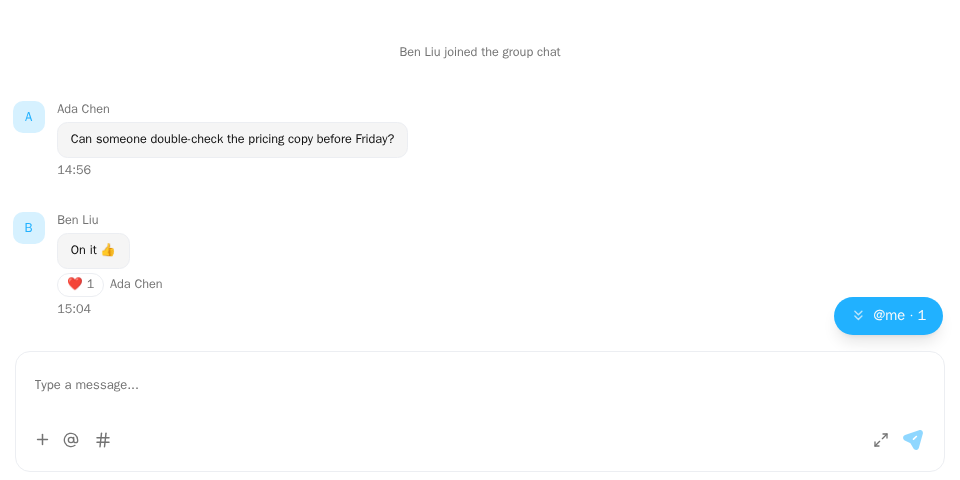
Screenshot of this demo. It runs on an in-memory sample host (useDemoHost from the demo kit, which is not part of the packages); in your app, pass the host from createChatHost() instead.
Demo source (uses the docs demo kit and Tailwind CSS classes, so it cannot be copied as is): profile-card-basic.tsx
"use client";

import { ChatHostProvider } from "@openmaxai/chat/host";
import { MessageThread } from "@openmaxai/chat/message-thread";
// Docs helpers: useDemoHost() is an in-memory host with sample data (no backend).
// In your app, pass the host from createChatHost() or your own ChatHost instead.
import { useDemoData, useDemoHost } from "./kit";

export default function ProfileCardDemo() {
	// With the `profileCard` capability every avatar opens a profile card. Its buttons call
	// `openDirectMessage` / `openSelfSettings` / `openAgentManagement` on your host
	// (here they print the call at the bottom of the demo).
	const host = useDemoHost();
	const { conversations } = useDemoData();

	return (
		<ChatHostProvider host={host}>
			<div className="flex h-full flex-col bg-background text-foreground">
				<MessageThread conversation={conversations[0]} />
			</div>
		</ChatHostProvider>
	);
}
The demo uses an in-memory host (useDemoHost); the examples below
use your own host.
When to use
- Let users see who someone is: click an avatar on a message, or the peer's avatar or name in a DM
ChatHeader. - Person cards show the member and the agents they own; agent cards show online status, owner and "copy agent ID". Clicking the owner or an agent swaps the card in place.
- Nothing to mount: once the host provides the
profileCardcapability, avatars inMessageThreadandChatHeaderbecome clickable. WithcreateChatHostthe SDK assembles it, see below.
Examples
With createChatHost
When you build the host with createChatHost you do not write profileCard yourself: the adapter provides profiles for the data, you say where "Settings" and "Manage" go in profileCardActions, and the SDK assembles the card. By default "Send message" finds or creates the DM with that person and hands it to the listener the page mounts with useChatSdkOpenConversation.
host.ts
import { createChatHost } from "@openmaxai/chat-sdk/react";

export const host = createChatHost({
  adapter: createAcmeAdapter(), // the adapter has profiles: { loadProfile, listOwnedAgents }
  profileCardActions: {
    openSelfSettings: () => router.push("/settings"),
    openAgentManagement: (memberId) => router.push(`/agents?id=${memberId}`),
  },
});
The card's first frame uses the name and avatar already in the member data; the rest waits for loadProfile. The shape of profiles is in ChatSdkAdapterProfiles and the three actions in ChatSdkProfileCardActions. With @openmaxai/chat-openmax the adapter already has profiles; you only pass profileCardActions.
Provide the capability
profile-card.ts
import type { ChatProfileCardPort } from "@openmaxai/chat/host";

export const profileCard: ChatProfileCardPort = {
  async loadProfile(memberId) {
    const m = await api.getMember(memberId);
    if (!m) return undefined;
    return {
      memberId: m.id,
      displayName: m.name,
      avatarUrl: m.avatar,
      kind: m.isAgent ? "agent" : "human",
      subtitle: m.roleName ?? "Member",
      onlineStatus: m.status,
      ownerMemberId: m.ownerId,
      agentIdentityId: m.identityId,
    };
  },
  listOwnedAgents: async (memberId) => (await api.getOwnedAgents(memberId)).map(toProfileEntity),
  openDirectMessage: (memberId) => openDmWith(memberId),
  openSelfSettings: () => router.push("/settings"),
  openAgentManagement: (memberId) => router.push(`/agents/${memberId}`),
};
subtitle is a finished string, such as the member's role or an agent's model. The card doesn't
look up roles itself.
Navigation in React state
openDirectMessage usually changes the selected conversation. Inside <ChatProvider>, nest a ChatHostProvider
from @openmaxai/chat/host that adds profileCard to the current host. ChatHostProvider is not an install entry point;
it only replaces capabilities for the part of the UI below it.
profile-cards.tsx
import { ChatHostProvider, useChatHost } from "@openmaxai/chat/host";

export function ProfileCards({ onOpenConversation, children }: ProfileCardsProps) {
  const parent = useChatHost();
  const host = useMemo(
    () => ({
      ...parent,
      profileCard: {
        loadProfile,
        listOwnedAgents,
        openDirectMessage: (memberId: string) => openDmWith(memberId).then(onOpenConversation),
        openSelfSettings: () => router.push("/settings"),
      },
    }),
    [parent, onOpenConversation],
  );
  return <ChatHostProvider host={host}>{children}</ChatHostProvider>;
}
API
Profile cards have no props. The host provides ChatProfileCardPort:
| Member | Type | Required | Description |
|---|---|---|---|
loadProfile |
(memberId: string) => Promise<ChatMemberProfile | undefined> |
Yes | Card content; undefined when not found |
listOwnedAgents |
(memberId: string) => Promise<readonly ChatProfileEntity[]> |
Yes | Agents on a person card; [] when none |
openDirectMessage |
(memberId: string) => void |
Yes | "Message" on someone else's card |
openSelfSettings |
() => void |
Yes | "Settings" on your own card |
openAgentManagement |
(memberId: string) => void |
No | "Manage" on an agent you own |
peekProfile |
(memberId: string) => ChatMemberProfile | undefined |
No | A synchronous first frame (the name and avatar already known), drawn before loadProfile returns; without it the card shows "Loading" first |
ChatProfileEntity is { memberId, displayName, avatarUrl?, kind?, subtitle? };
ChatMemberProfile adds onlineStatus?, ownerMemberId? and agentIdentityId?.
Capabilities
| Capability | Without it |
|---|---|
profileCard |
Avatars in the thread and DM header are not clickable |
profileCard (openAgentManagement) |
No "Manage" |
When loadProfile returns undefined, the card shows a load error; when the ChatMemberProfile has no agentIdentityId, there is no "copy agent ID".
Every string on the card and its popover is read from the host's i18n capability: the labels, the load-error button and the "copy agent ID" toasts (profileCard.* and common.agentTag, ns is components), the online status (status.*, ns is agent) and the loading text (loading, ns is common). When your i18n does not know one of these keys (it returns the key, the key with its namespace prefix, or an empty string), the English string is used. The card does not read the page's global react-i18next instance, so the page does not need to wrap it in I18nextProvider. Names and subtitles come from loadProfile and are shown as given; with createChatHost, the default subtitle, the name for a member without one, and the name of a built-in organization role when the adapter gives orgRole (memberRow.member, memberDisplay.unnamed and rolePermissionMenu.roles.*.label, ns is components) follow the same rule.
Accessibility
- Avatars are native
<button>s with a visible focus ring. The popover is a Radix popover:aria-expanded/aria-haspopupon the trigger, focus returns to the avatar on close. - Icons are
aria-hidden; actions are labelled by their text.
FAQ
Avatars aren't clickable.
The host has no profileCard capability. With createChatHost, the adapter needs profiles and the config needs profileCardActions; with either missing, avatars are not clickable. With your own host, add it yourself. Which capabilities createChatHost provides is on Known limitations · Default host.
Can the card show the member's role?
Yes. Compute it in loadProfile and return it as subtitle.